Survival Backpack – Travel Bag for Minecraft Bedrock
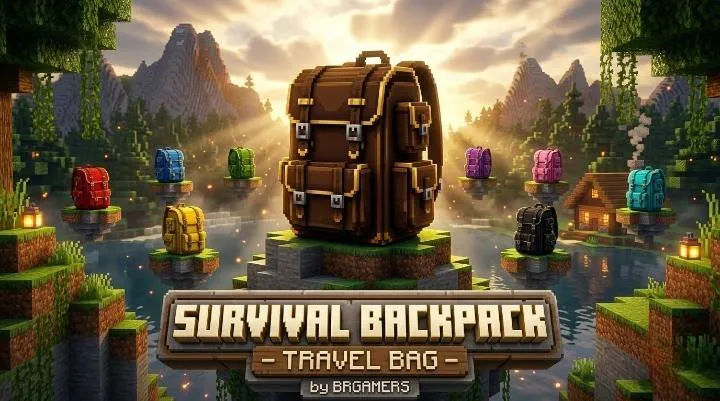
The game’s name says it all: Survival means collecting resources, exploring new places, and carrying whatever equipment you need for your journey. Yet on a lengthy mining or exploring expedition, keeping track of all those items can be distracting once you have filled up your inventory. Survival Backpack – Travel Bag is a Bedrock mod by BRGAMERS and offers an extra backpack that focuses on extra space and better aesthetics.
Download Survival Backpack Scroll to download section ↘Instead of treating a backpack as just another inventory item, this addon gives it a visible place on your character. You can choose between 16 colour variants, use a detailed 3D backpack design, and place the bag in the world when you want to set it down. It is a useful option for players who want a more travel-focused survival experience without changing the overall look of Minecraft into a completely different game.
What Is Survival Backpack – Travel Bag?
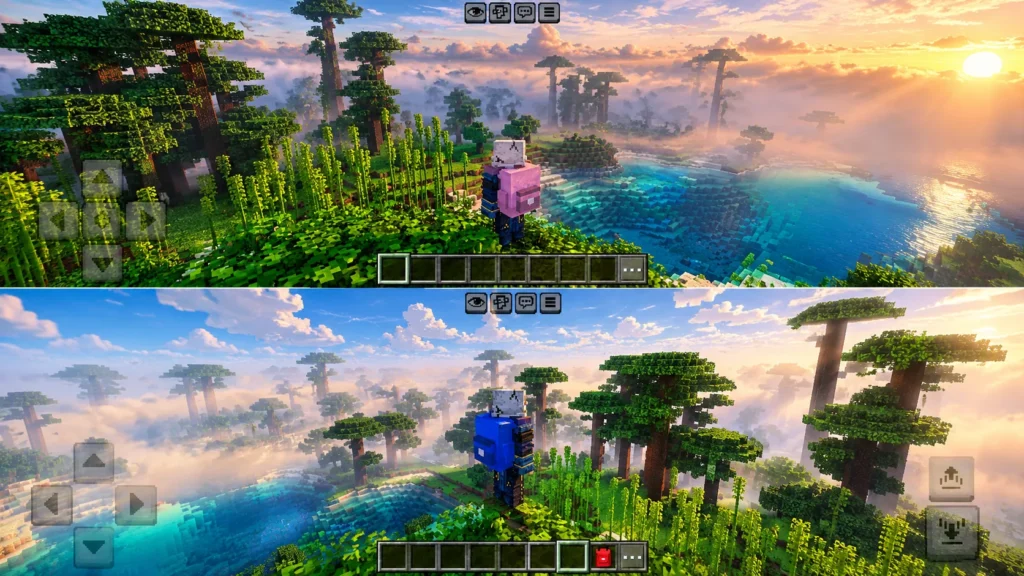
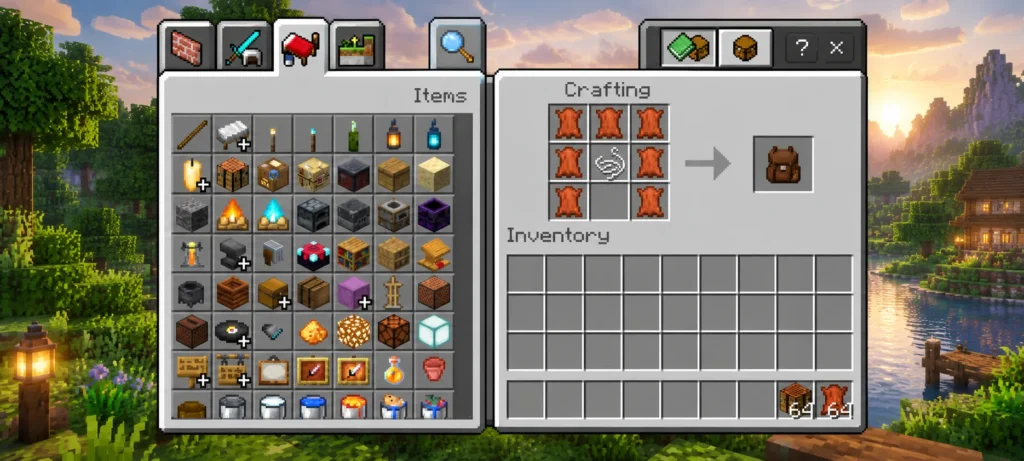
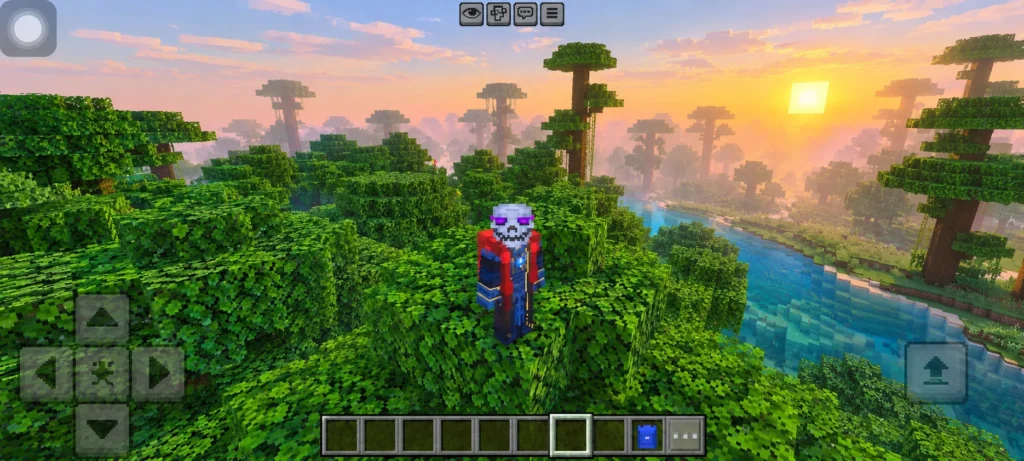
Survival Backpack – Travel Bag is an addon for Minecraft Bedrock Edition that introduces a wearable backpack with additional storage functionality. Its design features pockets, buckles, zippers, fabric details and shoulder straps, giving the bag a more detailed appearance than a simple flat accessory.
The addon is intended for different kinds of survival activities, including mining, gathering materials, building projects and travelling between locations. The backpack can be worn on your character, placed in the world and picked up again when you are ready to continue.
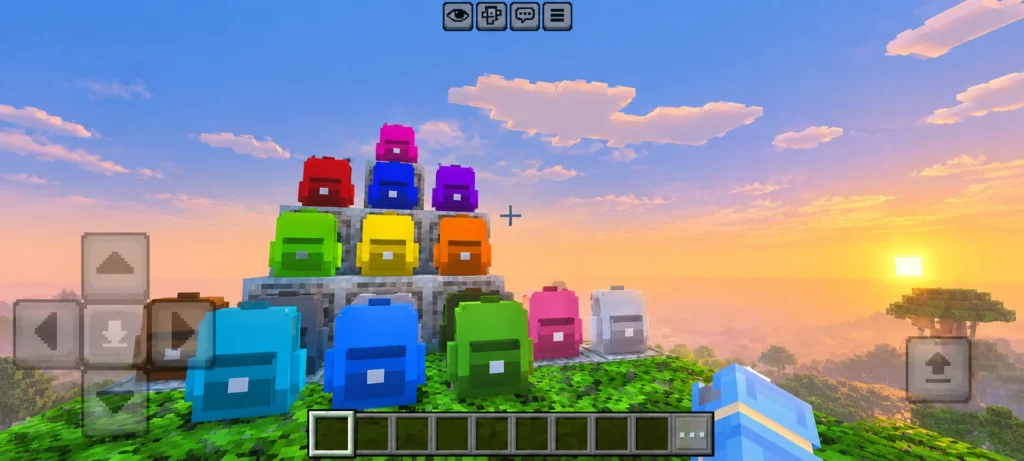
It also offers 16 colour options based on Minecraft’s standard dye colours, so you can choose a look that fits your character or survival setup.
Main Features of the Backpack Addon
1. Detailed 3D Backpack Design
The backpack is designed with visible pockets, buckles, zippers, seams, fabric shading and shoulder straps. These details give the accessory a more substantial appearance when worn in-game.
This visual approach makes the addon suitable for players who enjoy custom equipment and character details, particularly when exploring caves, travelling through forests or building a survival base.
2. 16 Colour Variants
The addon includes 16 colour variants based on the standard Minecraft dye colours. This gives you more choice than being limited to one backpack design.
You can select a colour that matches your preferred character style, coordinates with your equipment or simply stands out against your usual survival outfit. The available variants are especially useful for players who like taking screenshots or creating themed survival builds.
3. Detailed 128×128 Textures
The backpack uses 128×128 textures to provide additional detail across its fabric, pockets, seams and shading. This higher texture resolution helps distinguish the different parts of the design.
Keep in mind that texture resolution describes the artwork’s detail level; it does not automatically guarantee better performance or make every part of the game more realistic.
4. Wear the Backpack on Your Character
One of the addon’s central features is its wearable design. According to the project description, the backpack is equipped through the chestplate slot.
There is an important gameplay consideration here: using that slot may mean giving up the chestplate you would otherwise wear. Think about this trade-off before relying on the backpack during a difficult survival expedition, particularly if your normal equipment is important to your playstyle.
5. Additional Storage for Survival Trips
The backpack provides extra storage for activities such as mining, gathering building materials and travelling between distant locations. This can be helpful when your regular inventory becomes crowded during a longer trip.
The project description does not specify an exact number of additional slots, so players should check the current addon version and its in-game interface rather than assume a particular storage capacity.
6. Place and Pick Up the Backpack
The addon also supports placing the backpack in the world and retrieving it when you are ready to leave. This gives you another way to manage your bag during a mining session, at a temporary campsite or near a building project.
Before using it to store valuable items in an important world, test the placement and pickup behaviour with a few ordinary items. It is always sensible to back up a valuable survival world before introducing a new addon.
How Can You Use the Backpack in Survival?
The backpack is most useful when you have a clear reason to carry additional supplies. Here are a few ways it can fit into a normal Minecraft world.
Mining and Cave Exploration
Mining trips can involve collecting stone, ores and other materials while carrying tools, food and equipment. Additional storage can help you organise supplies during these journeys.
Because the backpack uses the chestplate slot, consider whether its storage benefit is worth the equipment trade-off for the type of cave expedition you are planning.
Building Large Structures
Large building projects often require repeated trips for blocks, decorative materials and supplies. A backpack can provide extra room for carrying materials between a resource area and your construction site.
It can also serve as a visual accessory for players who enjoy creating detailed builder characters or themed bases.
Travelling Between Biomes
When travelling between forests, mountains, plains and other areas, a wearable bag fits naturally into an explorer-themed survival setup. Choose one of the available colours and use it as part of your character’s travel appearance.
Organising a Temporary Campsite
The place-and-pick-up feature gives the backpack another possible role during a temporary stop. You can set it down while organising your supplies and retrieve it when you are ready to move on.
Test how this works in your world before treating the backpack as your only storage solution.
Download Survival Backpack – Travel Bag
Get the Survival Backpack addon for Minecraft Bedrock Edition and carry extra storage on your survival adventures.
How to Install Survival Backpack – Travel Bag
Follow these steps to import the addon into Minecraft Bedrock Edition:
- Open the official Survival Backpack – Travel Bag project page on CurseForge.
- Download the available
.mcaddonfile. - Open the downloaded file using Minecraft Bedrock Edition.
- Wait for Minecraft to finish importing the addon.
- Open your world settings and check the available Behavior Pack and Resource Pack entries.
- Enable the packs required by the addon.
- If the current release requires experimental features, follow the creator’s instructions for those features.
- Enter the world and check that the backpack appears and behaves as expected.
Menu names and import behaviour may vary by platform. If the addon does not appear after importing, confirm that Minecraft completed the import and that the required packs are enabled for the correct world.
Important: Back up an existing world before installing or updating an addon. Compatibility can differ between Minecraft releases, so check the game versions listed for the specific file you download.
Minecraft Version and Compatibility
The CurseForge project lists multiple Minecraft Bedrock game versions, and its description also mentions Bedrock 1.21.100 as a target version. Because the supported version list can change when new files are published, check the compatibility information on the download page before installing the addon.
Do not assume that a file will work on every Bedrock release simply because it imports successfully. Test it in a separate world first if you are unsure about compatibility.
Is Survival Backpack – Travel Bag Worth Trying?
Survival Backpack – Travel Bag is worth considering if you want a wearable backpack that combines a detailed appearance with additional storage. Its strongest features are the 3D design, 16 colour variants, 128×128 textures and the ability to place and retrieve the backpack in the world.
The main consideration is the chestplate-slot trade-off, along with the need to confirm the storage capacity and version compatibility in your installed release. Players who want a more organised travel setup may appreciate the addon, while anyone relying on their usual chestplate should consider that limitation before using it in a demanding survival world.
Overall, it is a useful themed addition for Minecraft Bedrock players who enjoy exploration, resource gathering and custom character accessories.
Frequently Asked Questions
Is Survival Backpack – Travel Bag available for Minecraft Bedrock Edition?
Yes. The project is listed on CurseForge as a Minecraft Bedrock addon. Check the file’s supported versions before downloading it.
How many backpack colours are included?
The project description lists 16 colour variants based on the standard Minecraft dye colours.
Does the backpack provide extra storage?
Yes, the addon description lists additional storage for mining, building, travelling and general survival activities. Check the installed version for the exact storage capacity.
Can I wear the backpack with a chestplate?
The project description says the backpack is equipped in the chestplate slot. This means you should consider the potential trade-off with your normal chestplate equipment.
Can I place the backpack in the world?
Yes. The listed features include placing the backpack and picking it up again. Test this behaviour with ordinary items before depending on it for valuable supplies.
Which Minecraft version should I use?
The project lists several Bedrock versions and mentions 1.21.100 as a target version in its description. Check the latest file’s compatibility list because support may vary between releases.
Who created Survival Backpack – Travel Bag?
The addon is published by BRGAMERS on CurseForge.
Final Verdict
Survival Backpack – Travel Bag brings together practical extra storage and a detailed wearable design for Minecraft Bedrock. The 16 colour options give players room to personalise their appearance, while the place-and-pick-up feature offers another way to manage supplies during exploration and building.
If you enjoy custom survival accessories, long exploration trips or a more prepared-looking character, this addon is worth a look. Review the compatibility information, understand the chestplate-slot limitation and test the backpack in a separate world before adding it to your main survival save.
Ready to try it? Visit the official CurseForge page below to check the current release and download the addon.