Minecraft Chunk Borders Explained: How Chunks Work
If you have ever explored Minecraft deeply, built a large farm, searched for a Slime Chunk, or watched technical Minecraft videos, you have probably heard the word chunk.
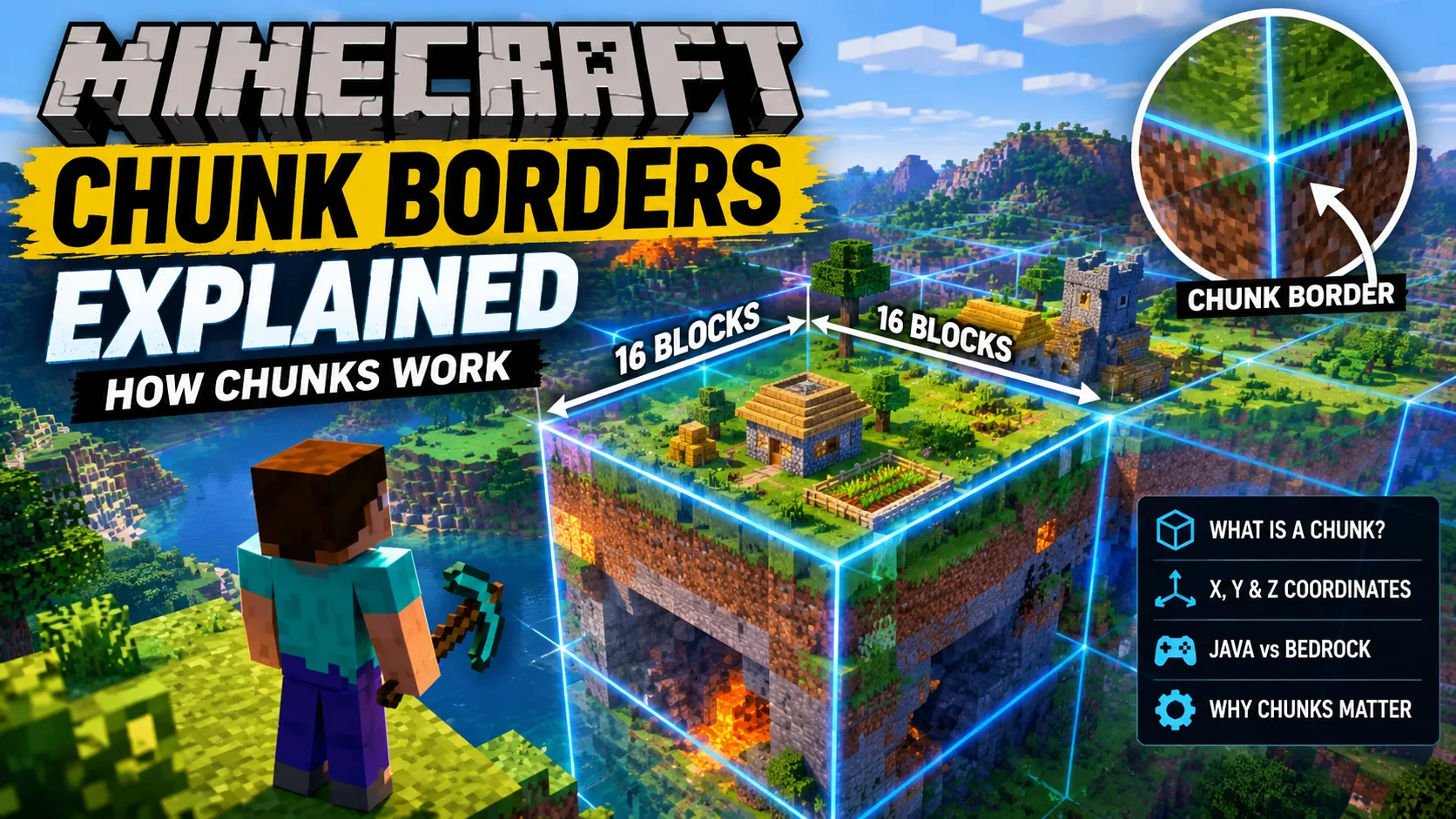
Minecraft does not treat its entire world as one enormous area that is loaded and processed at the same time. Instead, the world is divided into smaller sections called chunks. These chunks are an important part of how Minecraft manages terrain, structures, entities and world data.
Understanding chunks can make several parts of Minecraft easier to understand. It can help when building farms, working with redstone, locating structures, understanding world generation and troubleshooting situations where something does not seem to be working.
This guide explains what Minecraft chunks are, how large they are, how to find their borders, what chunk coordinates mean, and why chunks matter in both Java and Bedrock Edition.
What Is a Chunk in Minecraft?
A chunk is a 16 × 16 block area of the Minecraft world.
Think of the Minecraft world as an enormous grid. Instead of loading and managing every block individually across the entire world, Minecraft divides the world horizontally into these 16-by-16 sections.
Each chunk covers:
- 16 blocks along the X axis
- 16 blocks along the Z axis
- The full vertical height of the world along the Y axis
The X and Z dimensions are what define the horizontal boundaries of a chunk.
For example, if you are standing somewhere inside a chunk, moving 16 blocks in the X direction will eventually take you into another chunk. The same happens when moving 16 blocks along the Z direction.
This division is important because Minecraft can manage different parts of the world separately instead of treating the entire map as one giant active area.
How Big Is a Minecraft Chunk?
The simplest way to remember it is:
1 chunk = 16 × 16 blocks horizontally
That means a single chunk contains:
16 × 16 = 256 horizontal block positions per vertical layer.
However, a chunk is not just a flat 16 × 16 square. It extends through the world’s vertical build range.
The Y coordinate determines the height of a block, while X and Z determine its horizontal position.
This means two players could be standing at very different Y levels while still being inside the same chunk if their X and Z positions belong to the same chunk.
What Are Chunk Borders?
A chunk border is the invisible line separating one chunk from the next.
Normally, Minecraft does not permanently draw these borders around the world. You can walk across a chunk border without seeing any obvious change.
However, chunk borders become useful when you are working on technical builds, farms, redstone systems or world-generation projects.
For example, a large build might cross several chunk borders. Knowing exactly where those borders are can help you understand how the build is divided internally.
Chunk borders can also be useful when investigating mechanics that depend on chunk positions.
How to Show Chunk Borders in Minecraft Java Edition
Minecraft Java Edition includes a convenient built-in debug feature for displaying chunk boundaries.
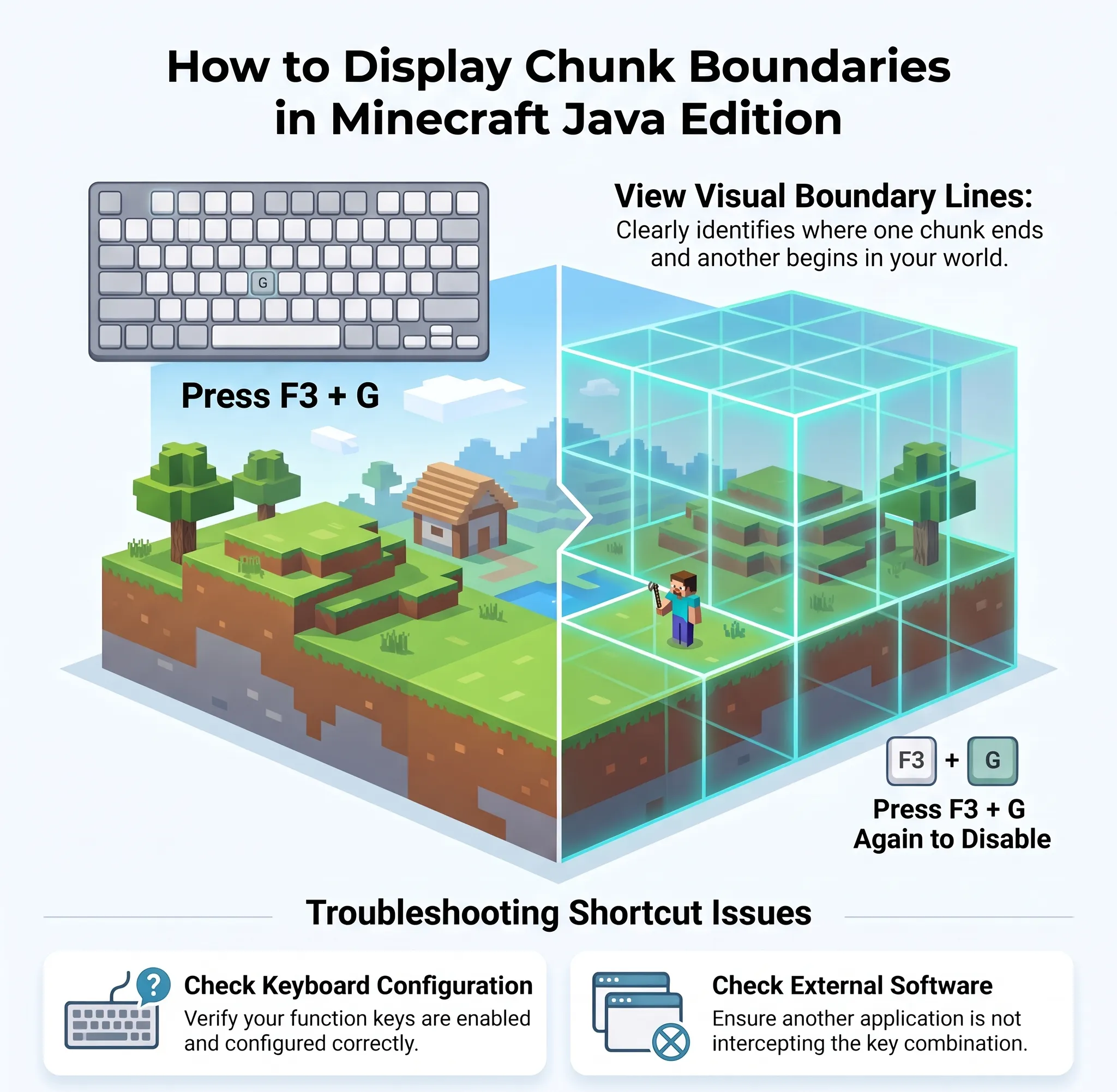
On supported Java Edition keyboard setups, press:
F3 + G
This toggles the chunk border display.
Once enabled, Minecraft shows visual lines that help you identify where one chunk ends and another begins.
Pressing F3 + G again turns the display off.
This is one of the easiest ways to understand chunks while playing because you can move around and see the boundaries directly in your world.
If the shortcut does not work as expected, check your keyboard configuration or whether another application is intercepting the function-key combination.
Can You See Chunk Borders on Bedrock Edition?
The chunk-border tools available in Java Edition are not identical to Bedrock Edition.
Bedrock does not provide the same standard F3 + G debug shortcut used by Java Edition.
This is one of the reasons technical tutorials often look different between the two editions.
Bedrock players may need to use other methods, tools or add-ons depending on what they are trying to determine. However, the underlying concept of a chunk remains important because Minecraft still divides the world into chunk-sized areas for world management.
How Chunk Coordinates Work
Every chunk has its own position in the world.
Minecraft blocks use X, Y and Z coordinates, but chunk positions are primarily concerned with the horizontal X and Z axes.
The world can therefore be imagined as a massive grid:
Chunk → Chunk → Chunk → Chunk
with each individual section covering 16 blocks horizontally.
For example, changing your X coordinate by enough blocks can move you into the next chunk, while changing Z can move you into another chunk in the other horizontal direction.
This becomes especially useful when working with technical Minecraft systems where exact chunk locations matter.
Block Coordinates vs Chunk Coordinates
One of the easiest mistakes for new players is confusing a block coordinate with a chunk coordinate.
Suppose you are standing at:
X = 100
That does not mean you are in chunk 100.
The block coordinate tells you your exact location in the world, while the chunk coordinate tells you which 16-block section contains that location.
A chunk is therefore more like a grid cell, while a block coordinate is an exact position inside that grid.
This distinction becomes important when using chunk-based tools or looking up information about things such as Slime Chunks.
Why Are Chunks Important?
Chunks are much more than invisible lines on the ground.
They are part of the way Minecraft manages the enormous worlds players explore.
Several systems are connected to chunks, including:
- World generation
- Terrain
- Structures
- Mob spawning
- Redstone activity
- Farms
- Entities
- Block updates
- Loading and unloading
- Slime Chunks
- Technical builds
Understanding chunks can therefore help you understand why certain Minecraft mechanics behave differently depending on where you are standing.
Chunks and World Generation
Minecraft’s terrain is generated from the world’s seed.
As the game creates the world, terrain and structures are generated across the world in sections.
Chunks are an important part of this process because the game does not need to generate the entire world immediately.
Instead, as you explore new areas, Minecraft generates and stores the world around you.
This is one reason why exploring in a new direction can cause previously unseen terrain to appear.
The world may be enormous, but the game only needs to actively manage relevant sections rather than keeping the entire world fully active at once.
Chunks and Minecraft Seeds
Chunks are particularly interesting when working with Minecraft seeds.
A seed determines the world-generation rules used to create terrain and structures. When you enter the same seed in the same Minecraft version and edition, you can reproduce the same general world-generation results.
This is also why Minecraft seed guides often provide exact coordinates.
For example, if a seed guide tells you that a village is located at a particular X and Z position, those coordinates allow you to travel directly to the structure rather than searching randomly.
Understanding chunks gives you another way to think about those coordinates: the structure exists within a specific area of the generated world.
What Are Slime Chunks?
One of the most famous reasons players care about chunks is Slime Chunks.
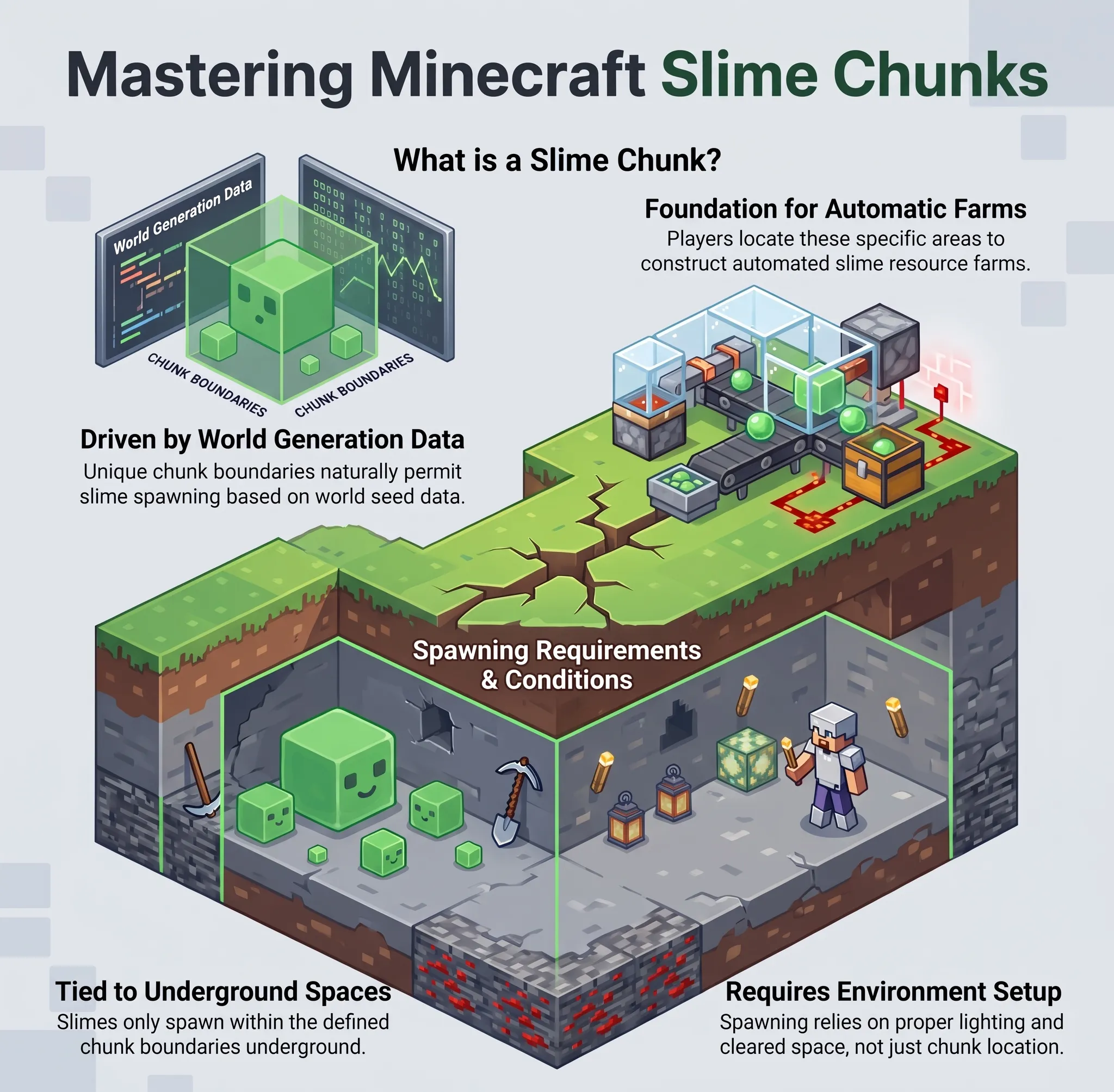
A Slime Chunk is a chunk where slimes can naturally spawn under specific conditions.
This is different from a normal chunk because the game’s generation data determines whether that chunk can support slime spawning.
Players often use Slime Chunks to build automatic slime farms.
However, simply finding a Slime Chunk does not mean slimes will constantly appear. Other spawning conditions still matter, including the required underground space and lighting-related rules for slime spawning.
The important point is that the Slime Chunk itself is tied to a specific chunk area.
Chunks and Mob Farms
Chunk knowledge can also be useful when building mob farms.
A farm’s effectiveness can depend on where players stand, which surrounding areas are loaded and what other spawning spaces are available.
If too many nearby areas are active and contain valid spawning locations, mobs may spawn away from your farm.
This is why technical farm designs often specify an exact player position.
The goal is to control which areas of the world are active and where spawning can occur.
Chunks and Redstone Builds
Most basic redstone machines do not require you to understand chunk borders.
However, large or technical redstone systems can become more complicated when they spread across multiple chunks.
A build that crosses a chunk boundary is not automatically broken. Minecraft can handle structures that span many chunks.
The important issue is whether the relevant chunks remain loaded and active when the system needs to operate.
For this reason, advanced Minecraft players sometimes design farms and machines around chunk boundaries.
What Happens When You Cross a Chunk Border?
For normal gameplay, almost nothing noticeable happens.
You can walk from one chunk into another without any loading screen or special animation.
The transition is usually completely invisible.
Minecraft handles the surrounding world in the background.
You may only notice chunk-related behavior when dealing with technical systems, large farms, performance issues or very specific world-generation mechanics.
So, if you walk across a chunk border while exploring normally, you do not need to worry about anything.
Do Chunk Borders Affect Builds?
No, a chunk border does not physically prevent you from building.
You can construct a house, bridge, road or massive base across as many chunks as you want.
Blocks do not stop at chunk boundaries.
In fact, many enormous Minecraft builds span dozens or even hundreds of chunks.
The borders are simply an organizational division used by the game.
However, knowing where they are can still be useful for planning large technical builds.
Chunks and Minecraft Performance
Chunks also have a relationship with Minecraft performance.
When more of the world needs to be loaded and processed, the game has more work to handle.
Your render distance and simulation settings can therefore affect how much of the world Minecraft needs to keep active around you.
Higher settings can make the world feel more expansive because you can see or interact with more surrounding terrain, but they can also increase the amount of work required from your device.
This is particularly noticeable on lower-end systems or when using large worlds with many entities and complex farms.
Chunk Borders for Large Builds
Chunk borders can actually become useful during large construction projects.
Suppose you are building a huge city.
Instead of randomly placing major districts, you could use chunk boundaries as invisible planning grids.
For example:
- One chunk for a small building
- Several chunks for a large building
- Multiple chunks for roads
- Larger groups of chunks for districts
This can make it easier to organize very large projects.
Technical Minecraft players can take this even further by designing farms and structures around exact chunk boundaries.
Common Chunk Mistakes
Mistake 1: Thinking a Chunk Is 16 Blocks in Every Direction
A chunk is 16 × 16 blocks horizontally, but the vertical dimension is different.
The Y coordinate represents vertical height and is not simply another 16-block chunk dimension.
Mistake 2: Confusing Coordinates With Chunk Numbers
Your block coordinate and chunk coordinate are not the same thing.
A player standing at X=500 is not necessarily standing in chunk 500.
Mistake 3: Assuming Chunk Borders Block Building
They do not.
You can build freely across chunk boundaries.
Mistake 4: Assuming Every Chunk Is Active
Minecraft does not keep every chunk in the world equally active at all times.
Loading and simulation depend on the player’s location and game settings.
Mistake 5: Assuming a Slime Chunk Automatically Creates a Slime Farm
A Slime Chunk only identifies an area where slimes can potentially spawn under the correct conditions.
A functioning farm still needs proper design and spawning space.
Java vs Bedrock: Chunk Basics
Both Java Edition and Bedrock Edition use chunks to organize the Minecraft world.
The basic horizontal chunk size is 16 × 16 blocks in both editions.
However, technical behavior can differ between the two versions.
This is important when following farm tutorials or technical guides. A farm designed for Java Edition should not automatically be assumed to work identically on Bedrock.
Always check whether a tutorial specifically targets your Minecraft edition and version.
Why Understanding Chunks Is Worth It
You do not need to understand chunks to enjoy normal Minecraft survival.
You can build houses, explore caves, fight mobs and visit villages without ever looking at a chunk border.
But once you start getting deeper into Minecraft, chunks become increasingly useful.
They help explain:
- Why Slime Chunks matter
- How technical farms are designed
- Why some farms require specific player positions
- How Minecraft manages its huge worlds
- Why loading areas matter
- How large technical builds are organized
- How world generation is divided
- Why Java and Bedrock tutorials can behave differently
In other words, chunks are one of those Minecraft systems that you can ignore at first but eventually become extremely useful to understand.
Final Thoughts
Minecraft chunks are essentially the building blocks Minecraft uses to organize its enormous world.
A chunk covers a 16 × 16 block area horizontally, and chunk borders separate one section of the world from another. They are invisible during normal gameplay, but Java Edition players can use F3 + G to display them.
For casual players, chunks may not seem important. For technical players, builders, seed hunters and farm designers, however, understanding chunks can make many Minecraft mechanics much easier to understand.
Whether you are searching for a Slime Chunk, designing a technical farm, planning a huge base or simply trying to understand how Minecraft manages its world, knowing how chunks work gives you a much better picture of what is happening behind the scenes.