BRG FarmForge Addon for Minecraft Bedrock: Build 5 Automated Farms in Seconds
Building fully automated farms in pure Minecraft survival is one of the most rewarding milestones—but let’s be honest: it is an absolute grind.
Gathering stacks of redstone dust, crafting dozens of hoppers, aligning water currents, and placing hundreds of building blocks while hoping a creeper doesn’t blow up your redstone wiring can easily eat up 10 to 15 hours of your playtime.
That is exactly why we created BRG FarmForge for Minecraft Bedrock Edition.
Instead of spending an entire weekend watching YouTube redstone tutorials block-by-block, FarmForge introduces the Magical Builder Wand—a unique tool that lets you select, project, and instantly construct 5 high-yield automated farms right inside your survival world.
In this guide, we will break down each farm included in the pack, how the Magical Wand works in survival mode, essential chunk-alignment tips, and how to download and install it.
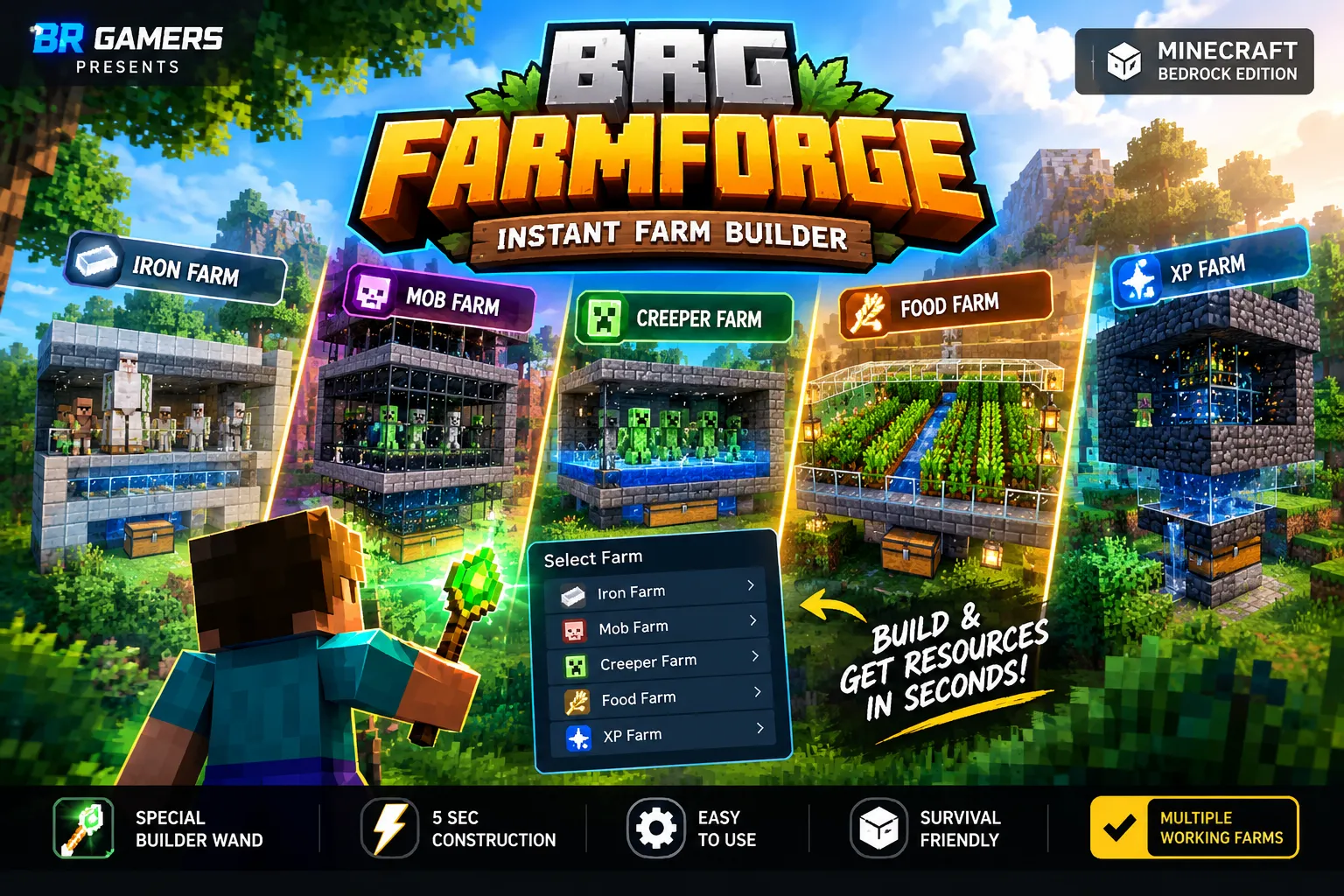
BRG FarmForge allows Bedrock survival players to construct complete automated farm structures in seconds.
What is BRG FarmForge?
Created by BR GAMERS, FarmForge is an “Instant Structure & Farm Builder” addon engineered specifically for Minecraft Bedrock Edition (1.21+).
Rather than functioning as a pure cheat menu, FarmForge is designed to respect survival balance:
- The Magical Builder Wand: An interactive in-game wand that opens a custom user interface (UI) when right-clicked or tapped.
- Instant Construction: Once you select a farm and place your anchor point, the addon automatically constructs the entire facility—complete with containment walls, collection hoppers, chests, and working water/lava mechanics.
- Survival & Creative Friendly: Works seamlessly in single-player worlds, multiplayer realms, and creative testing setups.
(Pro Tip: If you are clearing out terrain to place your massive farms, use our BRG Vein Miner Addon to mine out stone and ore deposits in seconds!)
The 5 Automated Farms Included in FarmForge
FarmForge comes pre-loaded with five of the most critical resource generators needed in any serious survival world:
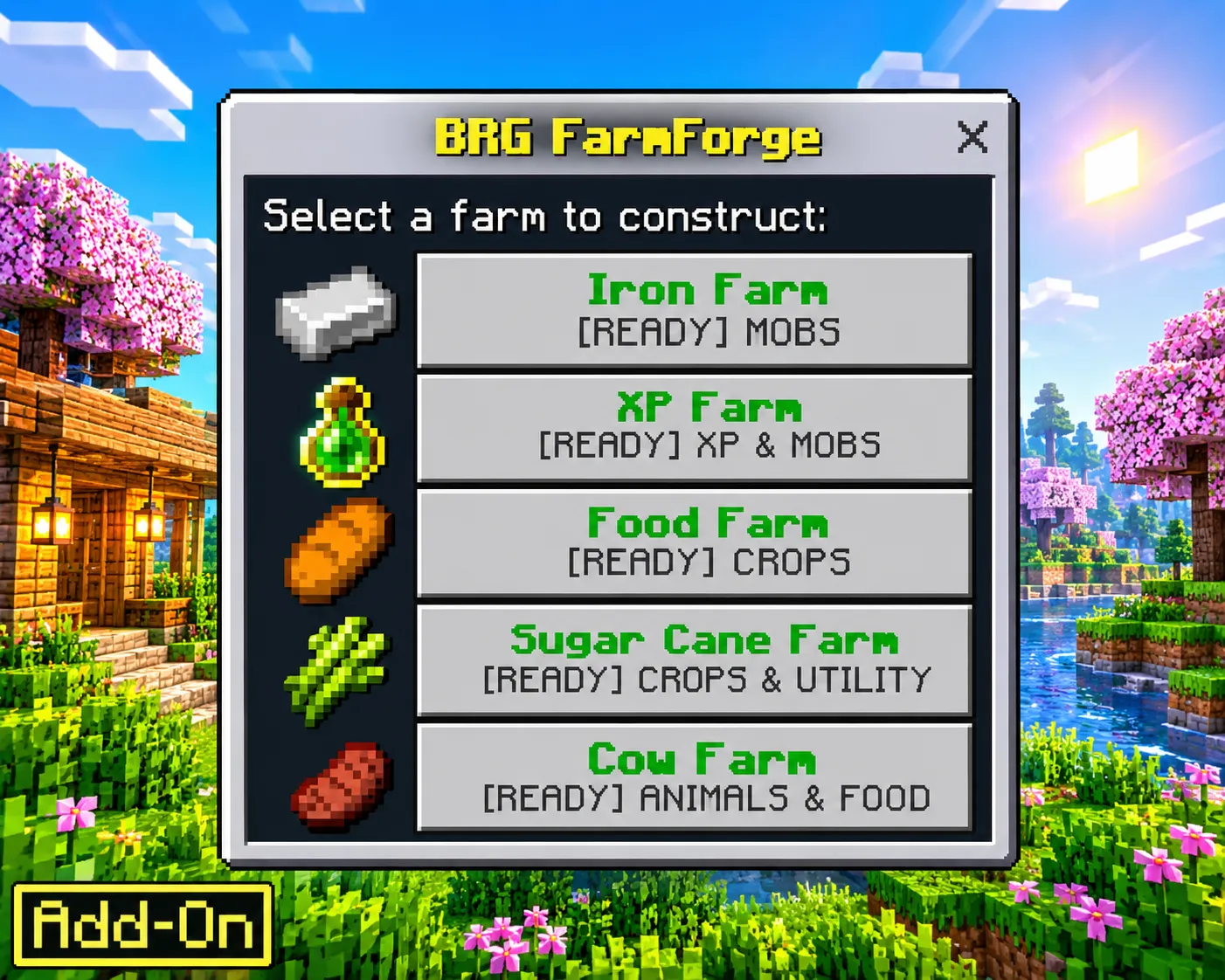
Selecting a farm design from the in-game Magical Builder Wand interface.
1. Iron Golem & Mob XP Citadel
- Function: Combines an iron golem spawning platform with a general hostile mob drop zone.
- The Mechanics: Features timed water-flush mechanics and a 22-block gravity drop chamber that softens hostile mobs down to half a heart, allowing for easy one-hit XP kills or automatic collection.
- Loot Yield: Infinite Iron Ingots, Poppies, Gunpowder, Bones, Arrows, String, and Spider Eyes.
2. Automated Sugar Cane Skyscraper
- Function: 3-Tier vertical tower dedicated purely to rapid paper and rocket production.
- The Mechanics: Observer blocks monitor the third stage of sugar cane growth. The moment a stalk grows, synchronized pistons slice the top blocks while flowing water channels direct the harvest into a secure hopper storage chest. Glass containment prevents items from flying out.
3. Agricultural Food Conservatory (192-Crop Farm)
- Function: Massive pre-hydrated crop greenhouse pre-planted with Wheat, Potatoes, and Carrots.
- The Mechanics: A single lever triggers a water-wave flush mechanism across multiple terraces, washing 192 fully-grown crops directly into collection funnels in less than 5 seconds. Replant and repeat!
4. Automated Cow Ranch & Steak Cooker
- Function: Compact breeding and automated cooking facility.
- The Mechanics: Adults remain in an upper water-bobbing breeding pen. Baby calves fall through a separator gap into a lower growth chamber. Once grown, an automated timed lava pulse cooks them instantly, delivering stacks of Cooked Steak and Leather directly to your chests without burning your drops.
5. High-Yield General Mob Grinder
- Function: Dark-room spawner optimized for night drops, gunpowder, and mob essences without requiring complex Redstone clocks.
Manual Building vs. BRG FarmForge
Here is how using FarmForge compares to laying down blocks manually in Minecraft Bedrock:
| Feature | Vanilla Manual Building | BRG FarmForge Addon |
|---|---|---|
| Build Time | 4 to 12 Hours per Farm | Under 10 Seconds |
| Redstone Complexity | High (Timing clocks, observer loops) | Pre-wired & Tested |
| Material Grind | Stacks of Iron, Hoppers & Redstone | 1 Magical Builder Wand |
| Accidental Glitches | Water leaks, mobs escaping, lag | Enclosed, optimized glass chambers |
| Portability | Fixed in one location | Deploy anywhere in seconds |
Step-by-Step: How to Use the Magical Builder Wand
Using the wand in your Bedrock survival world is straightforward:
- Obtain the Wand: Hold the Magical Builder Wand in your main hand.
- Clear the Ground: Ensure you have a flat, unobstructed area (we recommend at least a 25×25 block perimeter).
- Open the Menu: Right-click (PC), press Left Trigger (Controller), or long-tap your screen (Mobile).
- Choose Your Farm: The custom UI will display the 5 available designs. Click on your desired farm.
- Stand Back: The addon will project and construct the facility right in front of you.
(Gamer Tip: When running these high-speed farms, your inventory will fill up fast! Pair FarmForge with our Survival Backpack Addon so you can carry thousands of harvested crops and iron ingots without heading back to base.)
Pro Survival Tips for Maximum Farm Output
To get the absolute best rates from your new automated structures, keep these rules in mind:
- Find Flat Terrain: Do not spawn these structures inside dense jungles or mountain slopes. If you are looking for sprawling flat plains, check out our Curated Minecraft Seeds Hub for the best flat Bedrock spawn coordinates.
- Simulation Distance: In Bedrock Edition, farms stop producing if you move outside the world’s simulation distance. Keep your AFK spot within 4 to 6 chunks of your Iron Citadel or Sugar Cane tower.
- Tick Speed & Calculation: If you want to calculate your exact item rates per hour, try our Minecraft Calculators to optimize your drop timers.
Troubleshooting & Common Questions
1. The Wand is not opening the menu—what should I do?
Make sure you have enabled “Holiday Creator Features”, “Custom Biomes”, and “Beta APIs” under your Bedrock World’s Experiments settings. Experimental toggles are mandatory for custom UI wands.
2. Can I use FarmForge on Minecraft Realms?
Yes! Simply apply both the Resource Pack and Behavior Pack to your Realm settings before starting the world. All players joined on Windows, Android, iOS, Xbox, or PlayStation will be able to craft and use the wand.
3. Does FarmForge cause lag on low-end mobile devices?
No. The farm designs were deliberately created with enclosed glass structures and optimized hopper lines to prevent item entities from causing FPS drops on mobile phones.
Download BRG FarmForge Addon
Ready to transform your survival world into an automated resource powerhouse? Download the official, verified pack from CurseForge:
👉 Download BRG FarmForge on CurseForge (Official 1.21+ Download)
Frequently Asked Questions (FAQ)
Is BRG FarmForge safe for survival mode?
Yes, it does not corrupt world files or require cheat codes. You can place the farms and harvest the items using vanilla survival mechanics.
Can I delete or break a farm if I place it in the wrong spot?
Yes! All blocks placed by the builder wand are standard Minecraft blocks (Stone bricks, glass, hoppers, chests). You can break or mine them with standard tools whenever you wish.




Pingback: Shadow Pact Addon for Minecraft Bedrock: How to Summon the Shadow Wisp Companion
Pingback: Aladdin's Magic Carpet 3D Flight Addon for Minecraft Bedrock