Zero-Budget Gaming Content Creation: How to Start Making Gaming Content for Free
Gaming content creation has become an exciting way to share gameplay, help other players, and build a community around the games you enjoy. From Minecraft tutorials and Roblox guides to BGMI gameplay tips and mobile gaming reviews, there are many types of content you can create without buying expensive equipment.
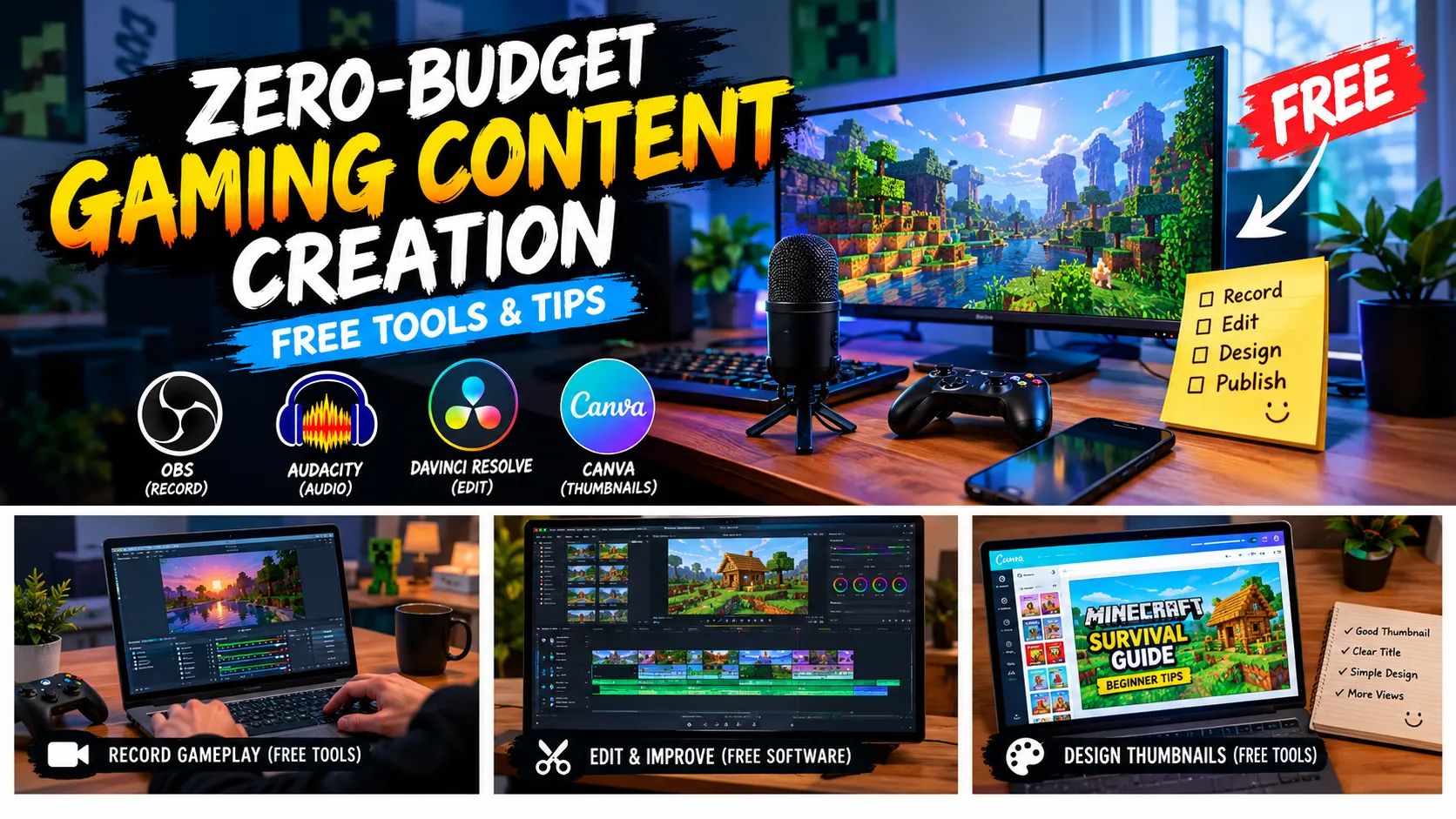
The biggest misconception about starting a gaming channel or website is that you need a powerful gaming PC, a professional microphone, paid editing software, and expensive graphic design tools. In reality, beginners can start with equipment they already own and improve their production quality over time.
Zero-budget gaming content creation is about using free tools, original ideas, and a simple workflow to produce useful content without making unnecessary purchases. It does not mean every part of the process will be effortless. Recording, editing, writing, and publishing still require time and practice.
In this guide, you will learn how to start creating gaming content for free, which tools can help, how to make thumbnails, where to find content ideas, and how to build a realistic publishing routine.
What Is Zero-Budget Gaming Content Creation?
Zero-budget gaming content creation means producing gaming videos, tutorials, screenshots, articles, or social media posts without spending money on professional equipment or paid software at the beginning.
Instead of purchasing everything immediately, you focus on the resources already available to you.
For example, a Minecraft player could record a survival-building tutorial, capture original screenshots, edit the footage with free software, and publish a guide explaining the building process. A Roblox creator could prepare a beginner’s guide, while a mobile gamer could share performance settings or explain an update.
The goal is not to make every video or article look professionally produced on the first attempt. It is to develop a repeatable process and improve one part of it at a time.
A zero-budget setup can include:
- A smartphone or computer you already own.
- Built-in screen recording or free recording software.
- Free video and audio editing tools.
- Free graphic design tools.
- A stable internet connection when uploading or researching.
- Original gameplay footage, screenshots, commentary, and explanations.
You can start with just one content format and expand later. For example, publishing gameplay tutorials is often easier than trying to manage long videos, livestreams, short clips, and a gaming website simultaneously.
1. Choose Your Gaming Content Niche
Before downloading software or designing a channel logo, decide what kind of gaming content you want to create.
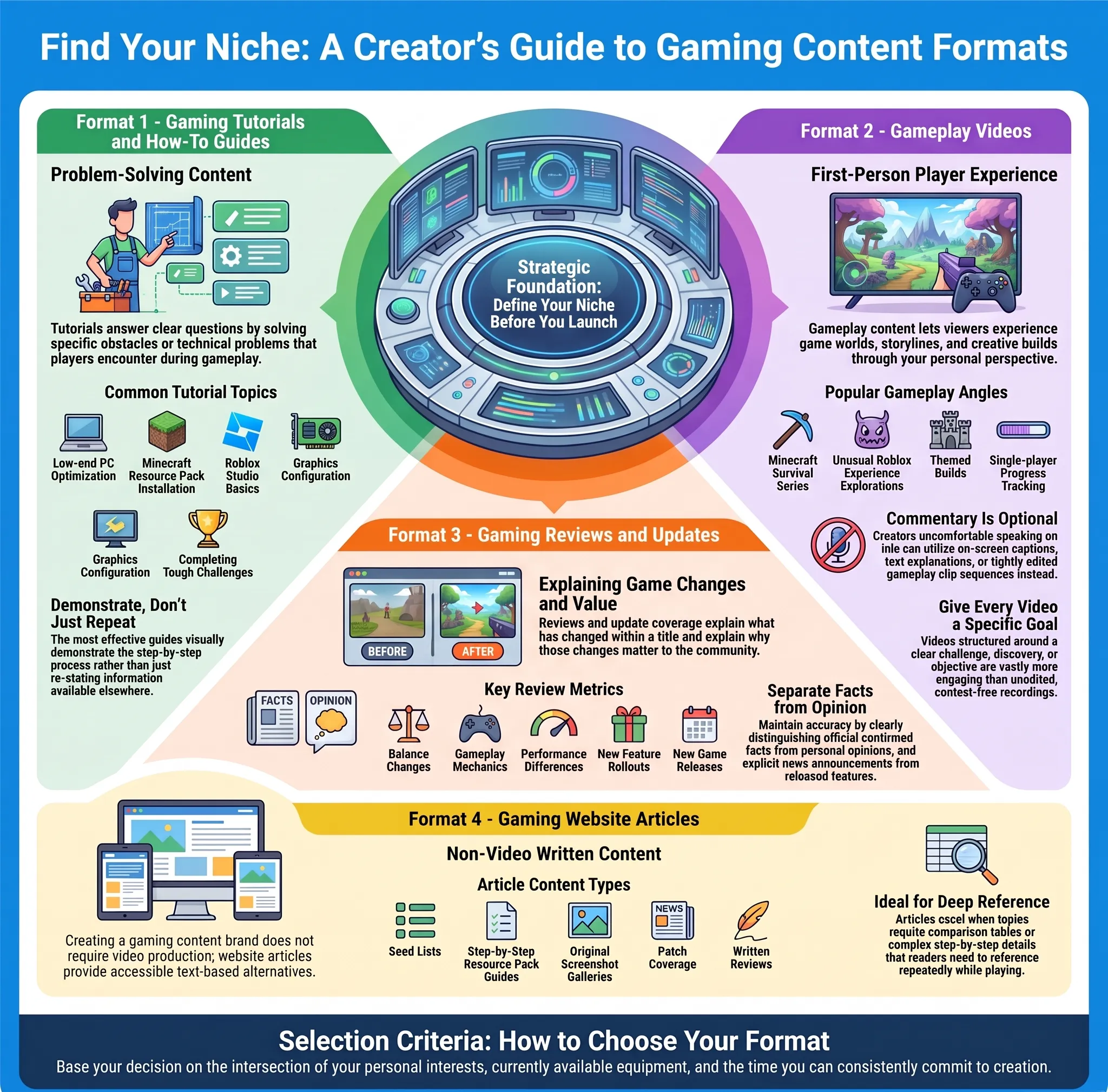
Gaming is a broad category. Trying to cover every game and every content format from day one can make planning difficult. A clearer focus helps you develop ideas and gives viewers a better understanding of what your content offers.
Here are some gaming content formats worth considering.
Gaming Tutorials and How-To Guides
Tutorials solve specific problems that players encounter while playing a game.
Examples include:
- How to improve Minecraft performance on a low-end PC.
- How to install a Minecraft Bedrock resource pack.
- How to understand Roblox Studio basics.
- How to configure graphics settings in a supported game.
- How to complete a difficult mission or challenge.
Tutorial content can work well because it answers a clear question. The best guides demonstrate the process instead of simply repeating information that viewers could find elsewhere.
Gameplay Videos
Gameplay content allows viewers to experience a game through your perspective.
You could record a Minecraft survival series, explore unusual Roblox experiences, build a themed world, or document your progress in a single-player game.
You do not need to add constant commentary if you are not comfortable speaking. You can use captions, on-screen explanations, or a carefully edited sequence of gameplay clips.
The important thing is to give each video a purpose. A video with a clear challenge, discovery, or goal is often more engaging than an unedited recording without context.
Gaming Reviews and Updates
Reviews and update guides explain what has changed in a game and why players might care.
You can cover new features, performance differences, gameplay mechanics, balance changes, or your experience with a recent release.
For accuracy, separate confirmed information from personal opinions. If an update has not been released yet, explain that you are discussing announced information rather than presenting it as something already available.
Gaming Website Articles
You do not have to create videos to become a gaming content creator. A website can focus on written tutorials, game reviews, resource-pack guides, seed lists, update coverage, or original screenshots.
Articles are especially useful when a topic requires detailed instructions, comparison tables, or information that readers may want to revisit while playing.
Choose a format that matches your interests, available equipment, and the time you can comfortably spend creating content.
2. Free Tools for Gaming Content Creation
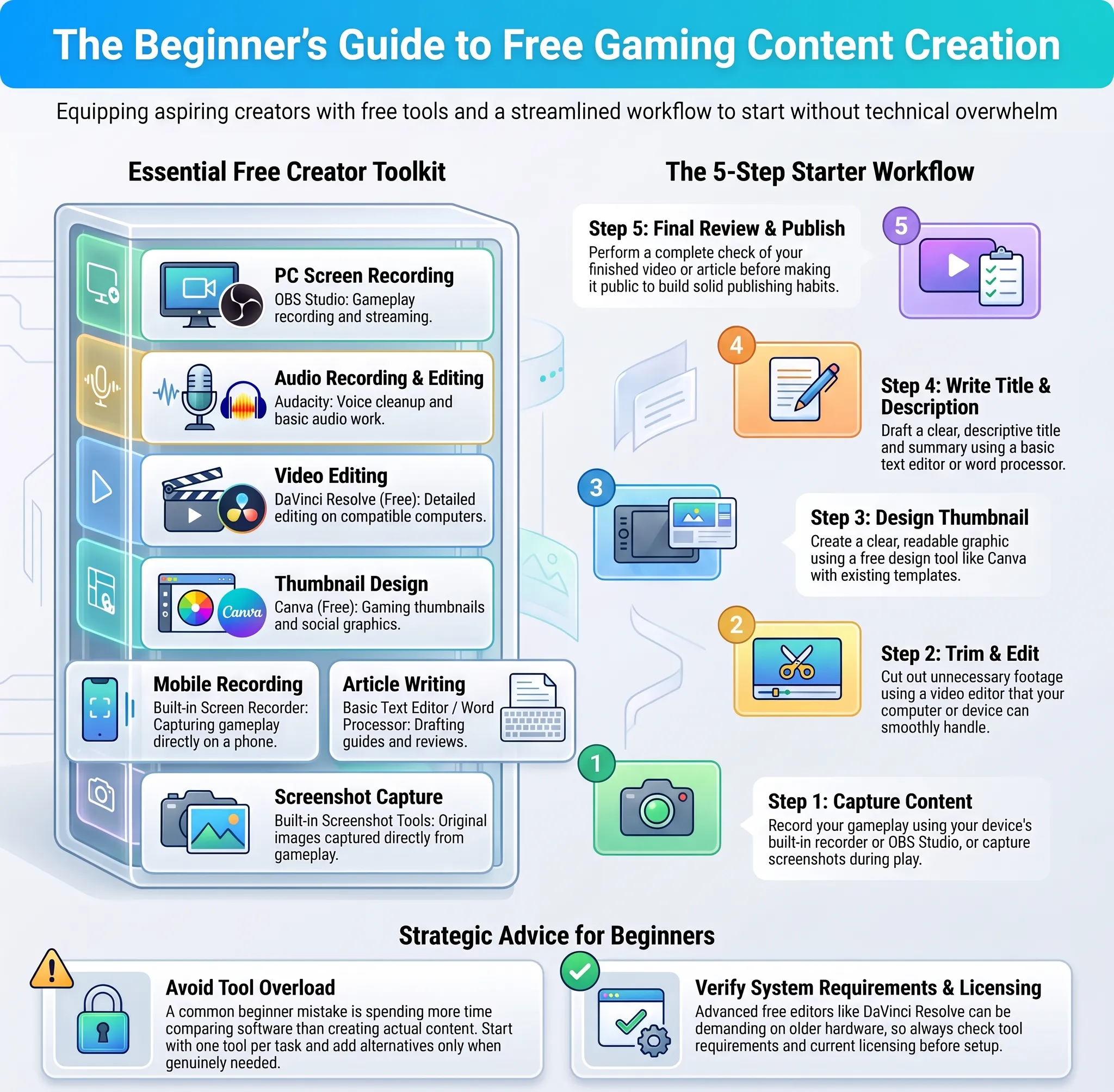
A beginner does not need to install every available application. Start with one tool for each task and add alternatives only when you have a genuine need.
| Task | Free tool or option | Best use |
|---|---|---|
| PC screen recording | OBS Studio | Gameplay recording and streaming |
| Audio recording and editing | Audacity | Voice cleanup and basic audio work |
| Video editing | DaVinci Resolve Free | Detailed editing on compatible computers |
| Thumbnail design | Canva Free | Gaming thumbnails and social graphics |
| Mobile recording | Built-in screen recorder | Capturing gameplay directly on a phone |
| Article writing | A basic text editor or word processor | Drafting guides and reviews |
| Screenshot capture | Built-in screenshot tools | Original images from your own gameplay |
OBS Studio is free and open-source recording software, while Audacity is a free audio editor. DaVinci Resolve also offers a free version, although its requirements may be demanding for older computers. Canva provides a free design plan with templates and editing features. Check each tool’s current requirements and licensing before use.
Official resources: OBS Studio, Audacity, DaVinci Resolve, and Canva.
Avoid Installing Too Many Tools
A common beginner mistake is spending more time comparing software than actually making content.
You can start with a simple setup:
- Record gameplay with your device’s built-in recorder or OBS Studio.
- Trim unnecessary sections using an editor your device can handle.
- Create a readable thumbnail using a free design tool.
- Write a clear title and description.
- Review the finished content before publishing.
This basic workflow is enough to help you learn the fundamentals.
3. Record Good Gameplay Without Expensive Equipment
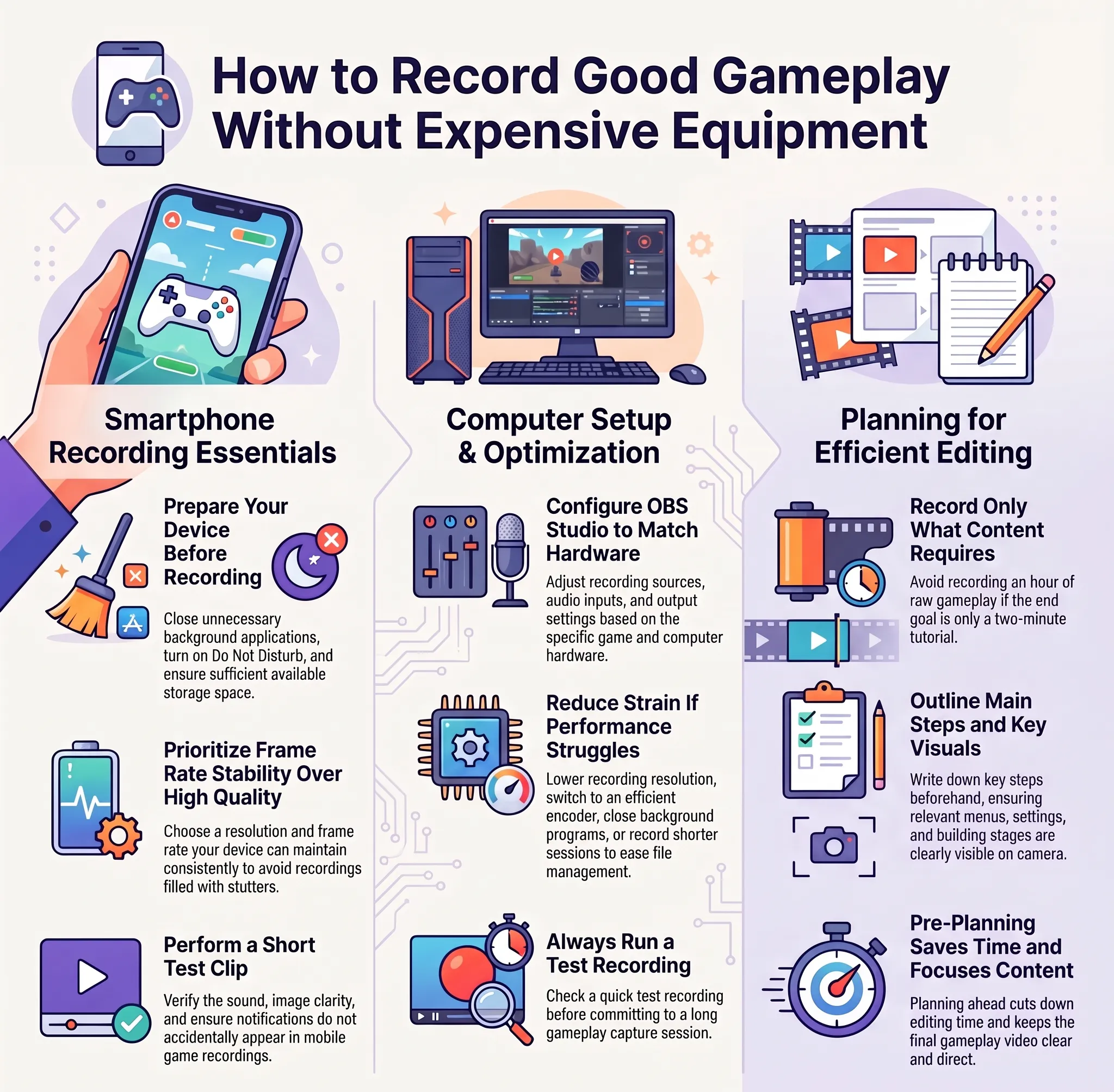
Your first recording setup does not need to be complicated. The aim is to capture gameplay that viewers can understand without distracting technical problems.
On a Smartphone
Most modern smartphones include screen-recording functionality. Check your device’s quick settings or system settings to find it.
Before recording, close unnecessary background applications, enable Do Not Disturb if appropriate, and check that you have enough storage space.
Choose a resolution and frame rate your device can maintain consistently. A stable recording is usually more useful than a higher-quality recording filled with stutters.
For mobile games, test a short clip first. Check the sound, image clarity, and whether notifications appear in the recording.
On a Computer
OBS Studio allows you to configure recording sources, audio inputs, and output settings. However, the best settings depend on your hardware and the game you are recording.
If your computer struggles while recording, lower the recording resolution, use a more efficient encoder if available, and close unnecessary programs. You can also record shorter sessions to make editing and file management easier.
Always check a short test recording before capturing a long gameplay session.
Make Every Recording Useful
Do not record an hour of gameplay if you only need a two-minute tutorial.
Write down the main steps or events you want to capture before you begin. If you are demonstrating a setting, make sure the relevant menu and result are visible. If you are recording a building tutorial, capture the stages viewers need to follow.
Planning saves editing time and helps keep the final content focused.
4. Edit Gaming Videos for Free
Editing helps transform raw gameplay into a useful video. You do not need complicated transitions, animated intros, or visual effects to create something worth watching.
Start by removing sections where nothing important happens. Keep the moments that explain the process, demonstrate the result, or move the story forward.
For tutorial videos, use short on-screen labels to identify settings, items, or steps. For gameplay videos, simple cuts can improve pacing without making the footage feel unnatural.
Audio is equally important. If you record commentary, check that your voice can be heard clearly over the game audio. Reduce unnecessary background noise where possible and avoid using music that overwhelms the explanation.
A Simple Editing Checklist
- Remove long pauses and irrelevant footage.
- Keep important gameplay details visible.
- Add captions or labels when they improve understanding.
- Balance commentary and game audio.
- Use transitions only when they serve a purpose.
- Watch the complete export before publishing.
Export settings should match your recording and the platform where you intend to publish. There is no benefit in forcing a high-resolution export if your source footage is lower quality or your computer cannot handle the workload comfortably.
5. Create Gaming Thumbnails Without Paying
A thumbnail gives viewers an early idea of what a video contains. A clear design can make your content easier to recognise, but it cannot compensate for a video that fails to deliver on its title.
You can create thumbnails with a free design tool and screenshots from your own gameplay.
For a Minecraft tutorial, you might show the finished build beside a small view of the materials or process. For a performance guide, you could use a readable screenshot of the relevant settings menu. For a game review, choose an image that represents the game and the main subject of your review.
Keep the design simple.
A useful thumbnail usually needs:
- One main visual subject.
- A clear focal point.
- Short, readable text when text is necessary.
- Enough contrast to remain visible at a small size.
- An accurate connection to the video’s actual content.
Avoid placing too many labels, icons, and decorative effects in one image. Also, do not use a screenshot or visual that implies a feature exists when it does not.
YouTube recommends accurate titles, readable thumbnails, and checking performance data to understand how viewers respond to packaging. See the official YouTube thumbnail and title guidance.
6. Find Gaming Content Ideas Without Paying
Running out of ideas can be more frustrating than editing. A simple content-planning system can help you identify topics that players actually need.
Start by listing the questions you have encountered while playing your favourite games. Think about the problems beginners face, confusing mechanics, new updates, common installation errors, and features that deserve a detailed explanation.
You can also review official patch notes, game announcements, community discussions, and questions from your own audience.
For example, a Minecraft content creator might build a topic list around:
- Beginner survival tips.
- Resource-pack installation.
- Performance and graphics settings.
- Biome and structure guides.
- Seed recommendations with tested coordinates.
- Update explanations.
- Comparisons between Java and Bedrock Edition.
- Original building tutorials.
Before writing an article, verify important details. Check game versions, commands, compatibility, and whether a feature is actually available. If you have tested something yourself, explain what you observed. If you have not tested it, do not claim that you did.
Turn One Idea Into Multiple Formats
One well-researched topic can support several pieces of content without copying the same material everywhere.
Suppose you test a Minecraft resource pack. You could create a written installation guide, record a short installation walkthrough, and publish a short clip showing a visual comparison.
Each format should provide value on its own. The article can explain detailed steps, while the video can demonstrate the process visually.
This approach makes better use of your research time and helps maintain a consistent publishing schedule.
7. Write Gaming Articles That Offer Original Value
If you run a gaming website, original value matters more than simply producing a high word count.
Reading multiple sources can help you understand a topic, but copying paragraphs and changing a few words does not create genuinely original content. Instead, use reliable sources to verify facts, then write your own explanation and add useful context.
For a strong gaming article:
- Identify the reader’s main question.
- Check official sources for game-related facts.
- Organise the information into a logical sequence.
- Explain unfamiliar terms in simple language.
- Add original screenshots, examples, or tested steps when possible.
- Mention limitations and compatibility issues.
- Update the article when important details change.
For example, an article about Minecraft performance should explain what a setting changes, when it may help, and what trade-offs a player might notice. Simply listing ten settings without explaining them gives readers less practical value.
Use descriptive headings, meaningful internal links, and a title that accurately describes the article. Avoid repeating the same keyword in every paragraph just to make the page appear optimised.
8. Use Free Resources Responsibly
Free software does not automatically mean every image, music track, font, or gameplay asset can be reused without restrictions.
When using third-party assets, check their licence and attribution requirements. Use your own gameplay recordings and screenshots whenever practical, and do not remove watermarks from material you are not authorised to use.
For music, choose tracks that you have permission to use on your intended platform. Keep records of licences or attribution instructions when necessary.
If you are discussing a game update, use official announcements as a starting point and clearly distinguish facts from speculation. When quoting a source, keep quotations brief and provide appropriate attribution.
These habits make your work more trustworthy and reduce the risk of avoidable copyright or accuracy problems.
9. Build a Realistic Zero-Budget Workflow
A content routine should fit your available time rather than force you to spend every free hour creating posts.
Here is an example workflow for producing one gaming tutorial or article.
| Stage | Main task | Goal |
|---|---|---|
| Planning | Choose a specific question | Define the content’s purpose |
| Research | Verify facts and version details | Avoid inaccurate information |
| Creation | Record footage or draft the article | Produce the main content |
| Editing | Remove mistakes and improve clarity | Make it easier to follow |
| Presentation | Create a thumbnail and title | Explain the topic clearly |
| Review | Test links, playback, and instructions | Catch avoidable errors |
| Publishing | Add a description and relevant links | Make the content available |
Some projects may take an hour, while others may require several sessions. Do not rush a complex tutorial simply to meet a daily posting target.
A realistic routine might involve researching one topic, creating the main piece, and then preparing a related short clip or social post. If school or other responsibilities take priority, reduce the schedule rather than sacrificing sleep or rushing the work.
Consistency is useful when it is sustainable.
10. Common Mistakes Beginners Should Avoid
Buying Equipment Too Early
Do not assume that a new microphone, gaming PC, or paid editing subscription will automatically improve your content. First learn to record, edit, and publish using your current equipment.
Upgrade only when you can identify a specific limitation that affects your work.
Copying Popular Creators
Popular creators can provide inspiration, but copying their scripts, thumbnails, or entire video concepts does not help you develop your own style.
Study how they explain ideas, structure videos, or communicate with viewers. Then adapt those lessons to your own experience and audience.
Using Misleading Titles
A title that promises an unavailable feature or exaggerated result may attract attention initially, but it can disappoint viewers.
Explain what the content actually demonstrates. If you are covering a beta feature or community add-on, identify it accurately.
Ignoring Audio and Clarity
Fancy effects cannot fix unclear instructions or difficult-to-hear commentary. Prioritise understandable explanations, readable text, and stable footage before spending time on advanced effects.
Publishing Without Checking
Always review your finished content. For videos, check playback and sound. For articles, verify links, headings, screenshots, commands, and version information.
A brief final review can prevent errors that make a guide frustrating to use.
11. How to Measure Progress Without Spending Money
In the beginning, focus on learning rather than expecting every upload to receive large numbers of views.
Track practical indicators such as whether viewers watch through the explanation, whether readers find the information useful, which topics attract questions, and whether you can create the next piece more efficiently.
For video platforms, use the analytics provided by the platform to understand impressions, click-through rate, watch time, and audience retention. Interpret these measurements together rather than treating one number as the complete story.
For a gaming website, monitor which articles attract search impressions, which pages receive visits, and whether readers navigate to related guides.
Use these observations to improve your next project. If viewers leave before the tutorial reaches its main point, shorten the introduction. If readers repeatedly ask the same question, make the relevant instructions clearer.
Growth can take time, and no free tool or publishing schedule guarantees a particular number of views, subscribers, or earnings.
Final Thoughts
Zero-budget gaming content creation is a practical way to begin sharing your gaming knowledge without making expensive purchases. A smartphone, an existing computer, free software, original gameplay, and a clear idea can provide everything needed for a first project.
Start with one game and one content format. Learn to record stable footage, edit unnecessary sections, design readable thumbnails, and explain information accurately. If you run a gaming website, focus on useful original guides instead of copying material from other pages.
As your skills improve, you can experiment with new formats and more advanced editing techniques. The most valuable investment at the beginning is not expensive equipment; it is the time you spend learning what makes your content genuinely useful to other players.
You do not need a perfect setup to publish your first gaming guide. You need a clear idea, a manageable workflow, and the willingness to improve with each new piece of content.
This guide is intended for beginners who want to explore gaming content creation using free tools and equipment they already have.