Retail Tycoon 2 Store Layout Ideas: Build a Better Shop
Building a store in Retail Tycoon 2 is easy at first. You place a few shelves, add a register, stock some products and start making money. The difficult part comes later, when your store grows and a simple layout turns into a crowded maze of shelves, checkout lines and staff movement.
A good Retail Tycoon 2 store layout should make it easy for customers to reach products, keep employees moving efficiently and leave enough room for the store to expand. This guide covers practical layouts for small shops, supermarkets and larger stores, along with tips for storage, checkout placement, parking and future expansion.
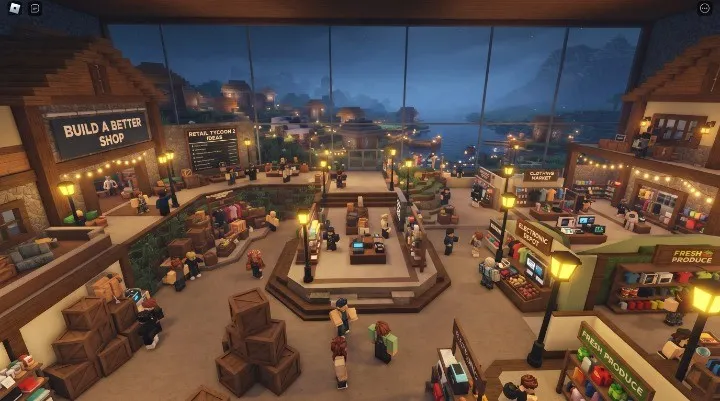
Why Store Layout Matters in Retail Tycoon 2
Retail Tycoon 2 gives you control over much more than the appearance of your building. The official game description explains that you build your store, place shelves and registers, hire workers and collect goods from the supply dock. That means your building has to work as a store, not just look like one.
As the store becomes larger, customers have more distance to travel and employees have more areas to manage. A layout that works perfectly for a small shop can become inefficient after several expansions.
The best approach is therefore to design your store around movement. Think about where customers enter, where they find products, where they pay and how employees get from storage to the shelves.
1. Start With a Compact Store Layout
When you are starting out, there is usually no reason to build a giant supermarket immediately. A compact store gives you a shorter distance between the entrance, shelves and checkout area.
Begin with only the amount of floor space you actually need. Leave some room around the building for parking and future extensions rather than using the entire plot from the beginning.
This also makes redesigning easier. If you later decide to move the checkout counters or create separate product departments, you will not have to rebuild an enormous empty building.
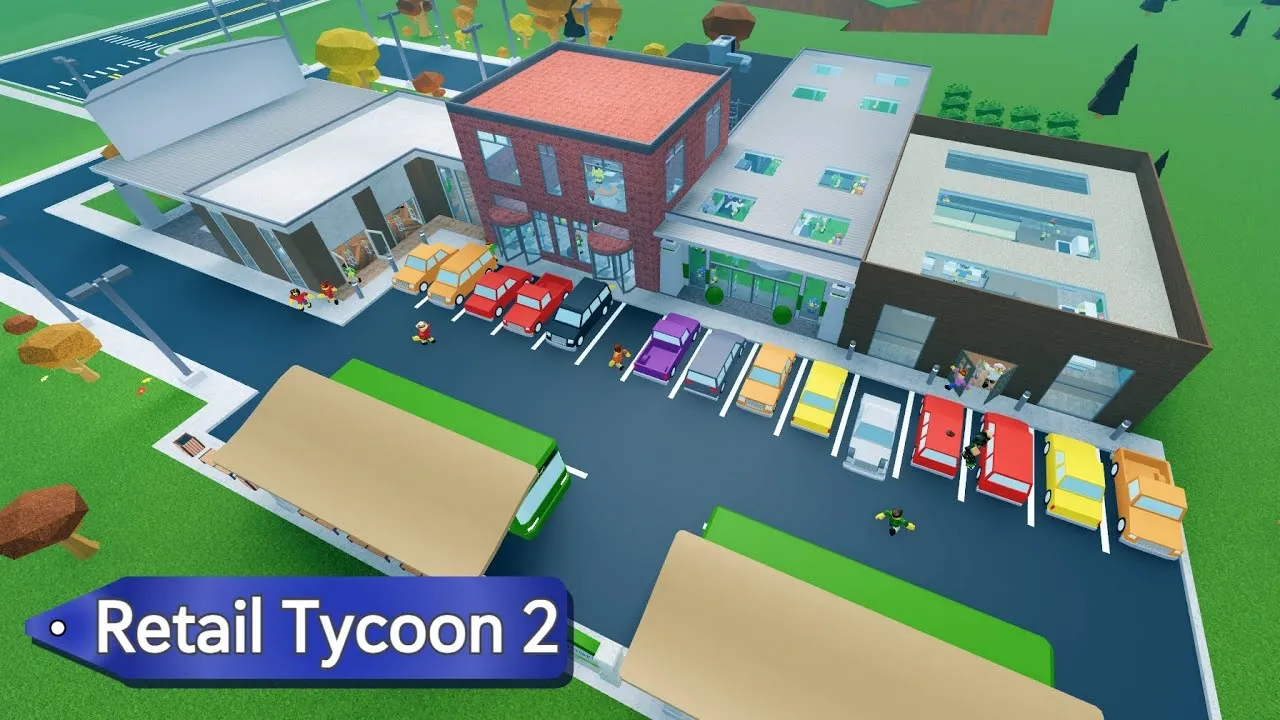
2. Create a Clear Customer Path
One of the most important parts of a good store is the path customers take through it. Avoid creating narrow corridors that force customers to turn around repeatedly or walk through unnecessary sections.
A simple layout can start with a clear entrance, continue through the main product areas and finish at the checkout section. You do not have to force customers through every corner of the store.
Retail Tycoon 2 has also added one-way gates that give players more control over customer pathing, making planned movement even more useful for advanced layouts.
3. Separate Your Store Into Product Sections
Once your store starts carrying more products, putting every shelf into one large room can make the building difficult to understand. Instead, group similar products together.
For example, you can create separate areas for groceries, household products, electronics, furniture or other categories available in your store. The exact departments you use can change as your inventory grows.
Grouping products also makes the store feel more like a real retail business. You can use signs above each section to make the departments easy to recognise.
Entrance Area
Keep the entrance open and easy to identify from the parking area.
Main Departments
Group related products together instead of mixing every shelf.
Checkout
Keep registers in an easy-to-find location near the exit.
Storage
Keep staff areas separate from the main customer shopping space.
4. Keep Storage Separate From the Shopping Floor
Storage is one of the areas that can easily get forgotten when designing a store. A dedicated back-of-house area keeps the main shopping floor cleaner and gives staff a more direct route to the shelves.
Community layout discussions commonly recommend keeping storage separate and making it accessible from useful points of the store so restocking does not require unnecessary movement. :contentReference[oaicite:4]{index=4}
You can place storage behind the main sales floor, along one side of the building or in a separate connected section. Staff-only access can also help keep customers away from areas that are not meant for shopping.
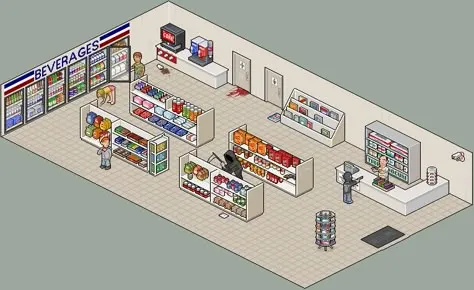
5. Place Checkout Counters Near the Exit
Checkout placement can have a major effect on how natural your store feels. A common approach is to keep the registers toward the front or near the exit so customers do not have to travel through the entire building again after finishing their shopping.
Leave enough room around the registers for queues. If your store grows, adding more checkout capacity can be more useful than simply making the building larger.
Try to avoid placing checkout counters deep inside a product department. That can make the front of the store harder to organise and can create unnecessary crossing paths.
6. Do Not Make the Store Larger Than Necessary
Bigger does not automatically mean better in Retail Tycoon 2. A huge empty store can actually create more walking distance without providing a useful benefit.
Recent community discussions about store design repeatedly point out that keeping the active shopping area compact can help with customer movement, while parking and transportation can be expanded separately.
If you have a large plot available, you can still create a visually impressive building. Just avoid adding large empty sections that have no products, services or purpose.
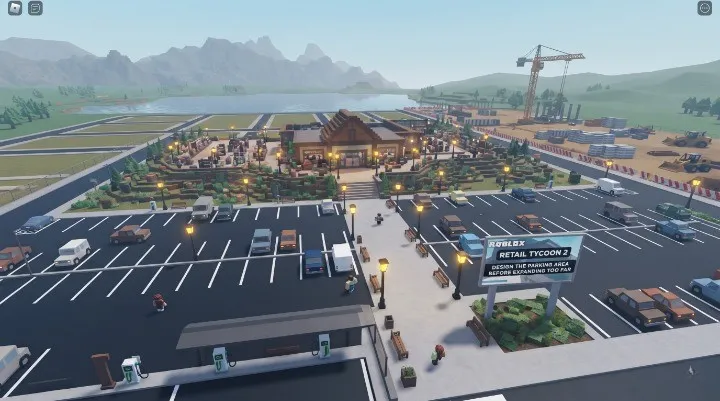
7. Design the Parking Area Before Expanding Too Far
The area outside your store is part of the layout too. Parking should have a clear relationship with the entrance rather than being placed as an afterthought.
Leave enough space around the building for parking and consider how the parking area can be expanded later. This is especially important if you plan to add transportation options or make the store much larger.
One community layout approach is to distribute parking around the store instead of putting all of it in one long block. The exact arrangement depends on your plot and the style of store you are building.
8. Small Store Layout for Beginners
If you are still building your first store, keep the layout simple. You can divide a small building into three main parts: products, checkout and storage.
Simple beginner layout
- Front: Entrance and checkout counters
- Middle: Main product shelves
- Back: Storage and staff area
- Outside: Parking and entrance path
This layout is easy to understand and gives you a strong starting point for future expansion. When you need more space, extend the product area instead of rebuilding the entire store from scratch.
9. Supermarket Layout for a Bigger Store
A larger supermarket can use a more structured department layout. Instead of one huge room, create several connected sections with wider paths between them.
One possible arrangement is to keep high-traffic departments toward the front, place larger product sections through the centre and keep storage toward the rear. Checkout can remain close to the exit.
You can also use walls, signs and flooring changes to visually separate departments without creating unnecessary barriers.
| Area | Suggested Position | Main Purpose |
|---|---|---|
| Entrance | Front | Easy customer access |
| Product Sections | Centre | Shopping and browsing |
| Checkout | Near exit | Complete purchases |
| Storage | Back or side | Restocking and staff movement |
| Parking | Outside | Customer access and future expansion |
10. Plan Your Store for Future Expansion
One of the biggest layout mistakes is designing only for the store you have today. Retail Tycoon 2 is built around expanding your business, so your first layout should leave room for the next stage.
Leave clear areas where new departments can be added. Keep important entrances and major paths in positions that will still make sense after the building becomes larger.
A modular layout works particularly well. Instead of one complicated building, think of the store as several connected blocks that can be expanded independently.
11. Use Staff Movement When Planning the Layout
Your store is not only used by customers. Employees also need to move around the building while performing their jobs, so a layout that looks good from above may still be inconvenient in practice.
Keep staff areas connected and avoid creating unnecessary obstacles between storage and the parts of the store that need regular attention. The goal is to reduce pointless walking without turning the entire store into a maze of tiny corridors.
Staff management is an important part of Retail Tycoon 2’s gameplay, alongside stocking products and operating the store.
12. Improve the Store Without Sacrificing Function
Once the functional layout works, you can start making the building look better. Add signs above departments, windows along exterior walls, decorative entrances and lighting around important areas.
Cleanliness and decoration can also contribute to the overall feel of the store. A detailed building does not need to be complicated; even a simple supermarket can look polished when its shelves, paths and exterior are organised consistently.
Recent updates have added decorative options such as balloon decorations and wooden fences, so you have more ways to give the exterior its own identity.
Common Retail Tycoon 2 Layout Mistakes
Before you start expanding, check whether your current layout has any of these problems:
- Huge empty areas that customers rarely need to enter.
- Checkout counters placed far away from the main exit.
- Storage mixed into the middle of the shopping floor.
- Very narrow paths between shelves.
- No room for additional departments.
- Parking added without considering future expansion.
- Too many unnecessary walls and small rooms.
- Decorations taking up space needed for useful shelves or paths.
Retail Tycoon 2 Layout Checklist
Frequently Asked Questions
What is the best layout for Retail Tycoon 2?
There is no single perfect layout. A strong design keeps customer paths short and clear, groups products logically, places checkout near the exit and keeps storage accessible to staff.
Should storage be separate from the store?
A separate storage or staff area can make the shopping floor much easier to organise and gives employees a dedicated space for restocking.
Where should I put checkout counters?
Keeping checkout near the front or exit is a practical choice because customers can finish shopping without walking through the entire store again.
Should I make my Retail Tycoon 2 store huge?
Not necessarily. A compact store can be more efficient than a huge building filled with unnecessary walking space. Expand when you actually need additional product areas or services.
How should I arrange shelves in Retail Tycoon 2?
Group similar products together and leave clear paths between departments. This makes the store easier to navigate and gives you a cleaner structure for future expansion.
How do I make my Retail Tycoon 2 store look better?
Start with a functional layout, then add signs, windows, decorations, lighting and a consistent exterior design. Good decoration works best when it does not interfere with movement.

Pingback: 8 Best Roblox Tycoon Games to Play in 2026 for Fun