Counter-Strike 2 Calculators
Free CS2 calculators for sensitivity, eDPI, aim settings, weapon damage, headshot percentage, economy planning, round requirements and more. Built for Counter-Strike 2 players who want useful numbers instead of guesswork.
Popular CS2 Calculators
The most useful calculations for everyday CS2 gameplay.
CS2 eDPI Calculator
Calculate your effective DPI from mouse DPI and in-game sensitivity.
CS2 cm/360 Calculator
Estimate how many centimeters of mouse movement are required for a complete 360° turn.
CS2 Headshot Percentage Calculator
Calculate your headshot percentage from total kills and headshot kills.
CS2 Weapon Damage Calculator
Estimate shots required using selected weapon, damage and target armor.
All CS2 Calculators
Additional tools for aim, performance and match planning.
CS2 Sensitivity Calculator
Convert your current sensitivity using a custom multiplier.
CS2 Round Economy Calculator
Calculate the total money available for your team and estimate a simple buy budget.
CS2 Kill / Death & KDA Calculator
Calculate K/D ratio, KDA and average kills per round from your match statistics.
CS2 Win Rate & Matches Calculator
Calculate current win rate and estimate wins or losses needed to reach a target percentage.
CS2 eDPI Calculator
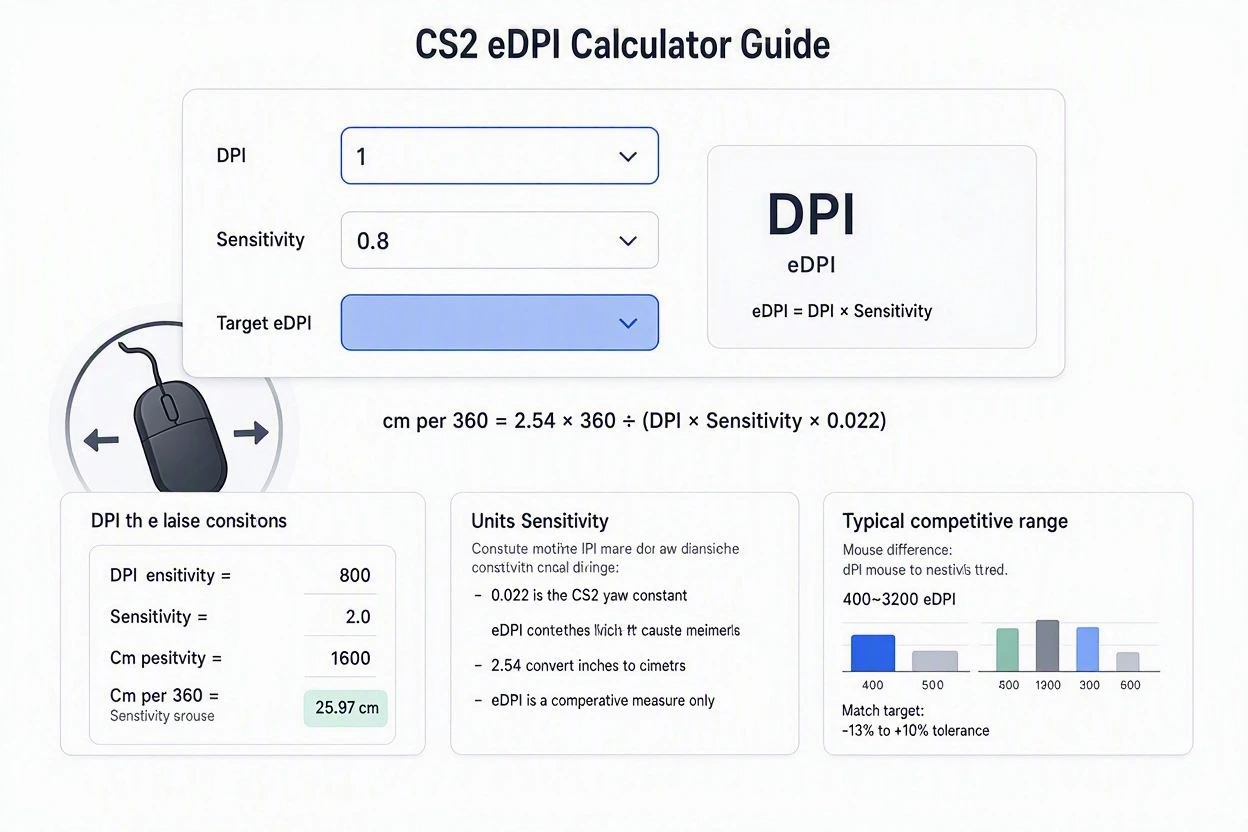
Effective DPI is calculated by multiplying your mouse DPI by your in-game sensitivity.
How does it work?
- Enter your mouse DPI.
- Enter your CS2 sensitivity.
- The calculator multiplies DPI × sensitivity.
- The result is your effective DPI (eDPI).
CS2 cm/360 Calculator
Estimate the physical mouse distance required for a complete 360° turn.
How does it work?
- Enter your DPI and sensitivity.
- The calculator first determines your eDPI.
- A standard CS2 sensitivity conversion is then used to estimate physical mouse distance.
- Actual distance can vary slightly depending on game configuration and measurement method.
CS2 Headshot Percentage Calculator
Find your headshot percentage from your total kills and headshot kills.
How does it work?
- Enter your total kills.
- Enter how many of those kills were headshots.
- Headshot percentage is calculated as headshot kills ÷ total kills × 100.
CS2 Weapon Damage Calculator
Estimate the number of shots required based on weapon damage, hit location and target health.
How does it work?
- Enter damage per hit.
- Enter the target’s health.
- Optional armor reduction can be applied.
- The calculator estimates total damage and minimum whole hits required.
CS2 Sensitivity Converter
Convert your current sensitivity using a custom multiplier for testing different setups.
How does it work?
- Enter your current sensitivity.
- Enter the multiplier you want to test.
- Current sensitivity × multiplier gives the converted value.
CS2 Round Economy Calculator
Estimate your team’s available money and calculate a simple per-player buying budget.
How does it work?
- Enter the money currently available to each player.
- The calculator adds the five player balances.
- Your reserve percentage is removed from the available buying budget.
- The result shows total money and approximate usable budget per player.
CS2 K/D & KDA Calculator
Calculate K/D ratio, KDA ratio and average kills per round from your match statistics.
How does it work?
- Enter kills, deaths and assists.
- K/D is calculated from kills ÷ deaths.
- KDA uses (kills + assists) ÷ deaths.
- Average kills per round is kills ÷ rounds.
CS2 Win Rate Calculator
Calculate your current win rate and estimate the number of future wins needed to reach a target.
How does it work?
- Enter total matches played.
- Enter your wins.
- The calculator finds your current win rate.
- It then estimates how many consecutive future wins would be required to reach your target rate.
Counter-Strike 2 Calculators for Aim, Performance and Match Planning
Counter-Strike 2 involves a lot of numbers, from mouse DPI and sensitivity to eDPI, cm/360, headshot percentage, team economy, K/D, KDA and win rate. Small calculations can be useful when comparing settings or understanding match statistics.
BR Gamers provides a collection of CS2 calculators designed to turn these calculations into quick results. Instead of calculating values manually, you can enter your numbers and use the result as a simple reference.
Whether you are checking your effective DPI, reviewing match performance, estimating a target win rate or planning a simple team budget, these tools focus on practical calculations that are easy to repeat.
Types of Counter-Strike 2 Calculators and What They Do
CS2 calculations can be divided into aim settings, performance statistics and match planning. Each calculator focuses on a different type of number.
| Calculator | What It Calculates | Useful For |
|---|---|---|
| CS2 eDPI Calculator | Effective DPI from mouse DPI and sensitivity | Comparing sensitivity setups |
| CS2 cm/360 Calculator | Estimated mouse distance for a 360° turn | Understanding physical sensitivity |
| CS2 Headshot Percentage Calculator | Headshot kills as a percentage of total kills | Performance statistics |
| CS2 Sensitivity Calculator | Converted sensitivity using a multiplier | Testing sensitivity values |
| CS2 Round Economy Calculator | Team money and estimated usable budget | Simple economy planning |
| CS2 K/D & KDA Calculator | K/D, KDA and average kills per round | Match performance analysis |
| CS2 Win Rate Calculator | Current win rate and target progress | Tracking match results |
CS2 eDPI Calculator
eDPI is a simple way to combine mouse DPI and in-game sensitivity into one number. This makes it easier to compare sensitivity setups even when two players use different mouse DPI values.
How eDPI Is Calculated
The important point is that eDPI combines two separate settings into one comparable value.
CS2 cm/360 Calculator
The cm/360 calculator estimates how much physical mouse movement is required to complete a 360-degree turn. It uses your DPI and sensitivity as the main inputs.
Unlike eDPI, which produces a sensitivity number, cm/360 expresses the result as a physical distance. This makes it useful when comparing how different sensitivity setups feel in terms of mouse movement.
Basic Calculation Process
CS2 Headshot Percentage Calculator
Headshot percentage is a straightforward performance statistic. It tells you what portion of your total kills were recorded as headshot kills.
Headshot Percentage Formula
This statistic can be useful when reviewing match history and comparing performance over a larger number of games.
CS2 Sensitivity Calculator
The CS2 Sensitivity Calculator lets you test a converted sensitivity using a custom multiplier. This is useful when you want to mathematically compare different sensitivity values without manually doing the calculation.
Sensitivity Conversion Formula
CS2 Round Economy Calculator
Team economy can be treated as a simple budgeting problem. The Round Economy Calculator adds the money available to the five players and then applies the selected reserve percentage.
Basic Economy Calculation
CS2 K/D and KDA Calculator
K/D and KDA are commonly used statistics for summarising match performance. The calculator combines kills, deaths, assists and rounds played to calculate several useful numbers at once.
K/D and KDA Formulas
Looking at these values together can provide a clearer picture than relying on a single statistic.
CS2 Win Rate Calculator
Win rate shows the percentage of matches won from the total number of matches played. It becomes especially useful when tracking progress over many games.
Win Rate Formula
The calculator can also estimate how many consecutive future wins would be required to reach a selected target percentage.
How to Use the CS2 Calculators
Each calculator follows the same basic idea: provide the required inputs, let the calculator perform the mathematical operation and then use the result as a quick reference.
Why CS2 Calculators Are Useful
Most of these calculations are simple, but repeating them manually can become inconvenient. A dedicated calculator keeps the process quick and consistent.
For example, eDPI combines DPI and sensitivity into one number, while K/D, KDA and win rate convert raw match statistics into easier-to-read performance measurements.
Important About CS2 Calculator Results
When an underlying game value changes, the mathematical formula may still be correct while the input value used by the calculator may need updating.
Frequently Asked Questions About CS2 Calculators
What is an eDPI in CS2?
eDPI combines mouse DPI and in-game sensitivity into a single number. It is calculated by multiplying DPI by sensitivity.
How is CS2 headshot percentage calculated?
Headshot percentage is calculated by dividing headshot kills by total kills and multiplying the result by 100.
What does the CS2 cm/360 calculator show?
It estimates the physical mouse distance required to complete a 360-degree turn using the entered DPI and sensitivity.
How is K/D calculated in CS2?
K/D is calculated by dividing total kills by total deaths.
How is KDA calculated?
KDA is calculated by adding kills and assists and dividing the result by deaths.
How do I calculate CS2 win rate?
Divide matches won by total matches played and multiply the result by 100.
Can CS2 calculator results change?
The mathematical formulas generally remain the same, but game values and mechanics can change through updates. Always verify important current values when necessary.
Make CS2 Calculations Faster and Easier
Counter-Strike 2 has many numbers worth tracking, from sensitivity and eDPI to match statistics, economy planning and win rate. BR Gamers brings these calculations together in simple tools that can provide quick results.
Instead of repeatedly doing the same calculations manually, enter your values into the relevant CS2 calculator and use the result as a convenient reference for comparison and tracking.