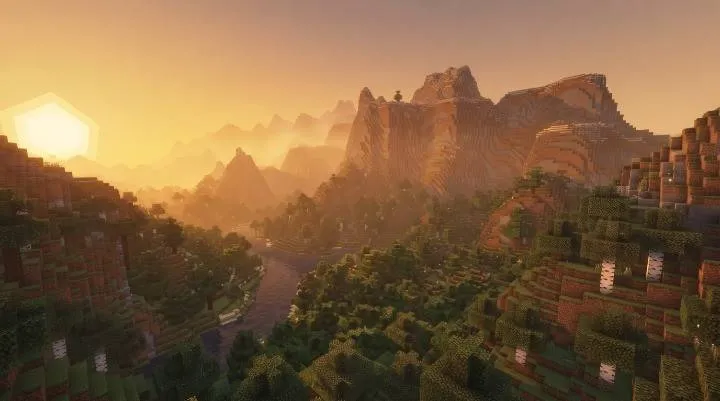
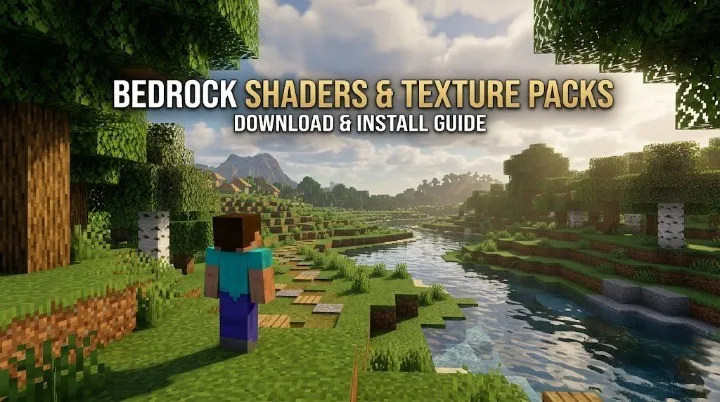
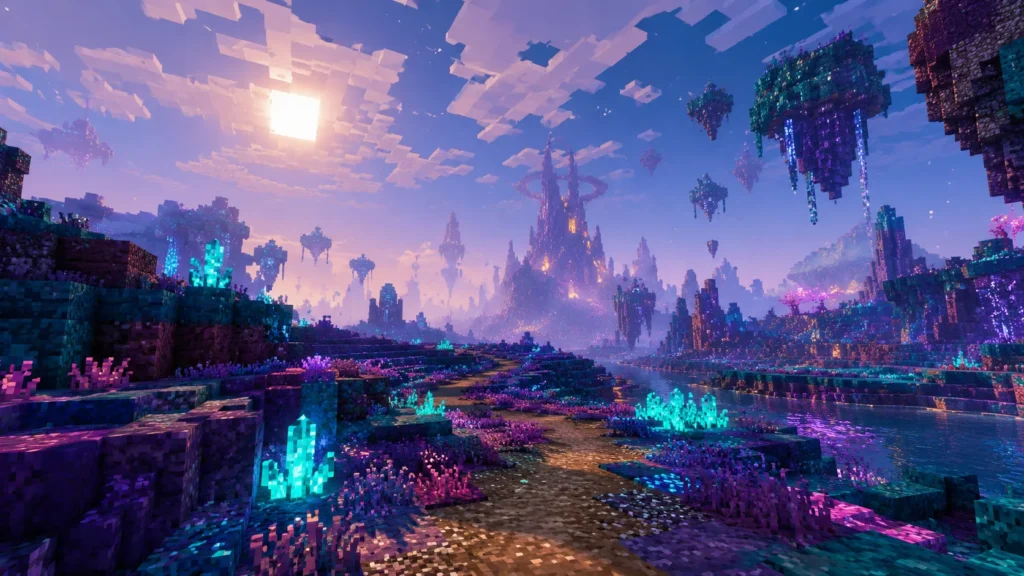
BRG Natural Realism: A Cinematic Minecraft Bedrock Visual Experience
Minecraft Bedrock Edition has a distinctive visual style that makes every world instantly recognizable. However, if you want more atmospheric lighting, natural-looking water colors, softer skies, and greater depth in distant landscapes, a carefully designed resource pack can give your world a fresh appearance without replacing Minecraft’s iconic blocky look.
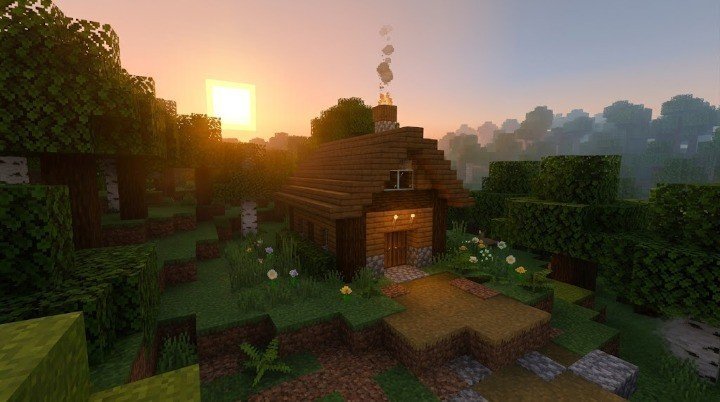
BRG Natural Realism is an original Minecraft Bedrock resource pack created by BR GAMERS for players who prefer a clean, natural, and cinematic visual style. Instead of pushing extreme colors or making every surface look artificially glossy, the pack focuses on balanced lighting, atmospheric fog, environmental colors, and a more immersive day-and-night experience.
Whether you enjoy survival adventures, peaceful building, exploring different biomes, or capturing Minecraft screenshots, BRG Natural Realism aims to make ordinary environments feel more atmospheric while keeping the familiar Minecraft experience intact.
In this guide, we will explore its main features, visual options, installation process, compatibility considerations, and tips for getting the best results.
What Is BRG Natural Realism?
BRG Natural Realism is a visual resource pack designed specifically for Minecraft: Bedrock Edition. Its main goal is to improve the atmosphere of the game without completely changing its original artistic identity.
The pack focuses on several visual elements, including lighting colors, water appearance, environmental fog, sky textures, and the overall mood of different dimensions.
For example, a forest can feel more atmospheric with cooler shadows and soft distance haze, while a beach can appear warmer during sunset. Rivers and lakes use a more natural teal color, and distant terrain fades more gently into the surrounding atmosphere.
Unlike a gameplay addon, BRG Natural Realism is designed around visual presentation. It does not aim to introduce new mobs, crafting recipes, weapons, blocks, or survival mechanics.
The goal is simple: make Minecraft Bedrock feel more cinematic while preserving the game’s recognizable style.
Main Features of BRG Natural Realism
1. Natural and Balanced Lighting
Lighting plays an important role in how a Minecraft world feels. Bright, flat lighting can make environments look simple, while overly dark settings can make it difficult to see details during gameplay.
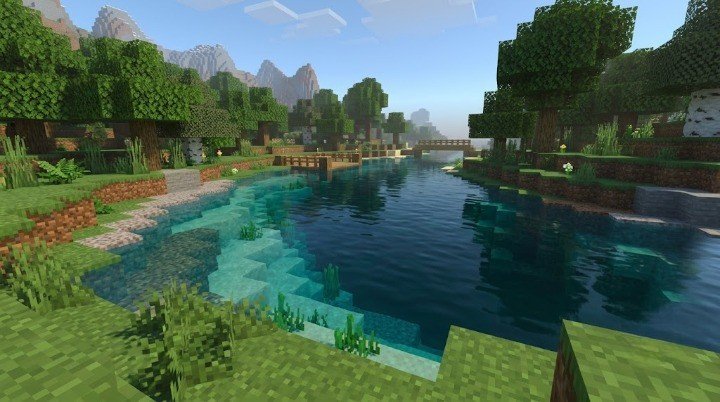
BRG Natural Realism aims for a balanced middle ground.
Daylight is designed to remain readable, allowing players to explore landscapes and build structures without relying on exaggerated contrast. Warm golden and soft orange tones help create a more cinematic feeling around sunrise and sunset.
At night, cooler blue tones give the environment a different mood. Shadows and darker areas can feel more atmospheric without intentionally turning the entire world pitch-black.
This lighting approach works particularly well for:
- Survival bases surrounded by forests
- Wooden cottages and medieval-style villages
- Mountain houses and cliffside builds
- Coastal settlements and riverside structures
- Cinematic screenshots captured during sunrise or sunset
The exact appearance depends on the environment, game settings, and the graphics features supported by your device.
2. More Natural-Looking Water
Water is one of the most noticeable elements in any Minecraft landscape. It appears in rivers, oceans, lakes, swamps, and underground pools, so its color can strongly influence the appearance of a world.
BRG Natural Realism uses a more natural teal-inspired water palette rather than an excessively bright cyan tone.
Shallow water is intended to remain visually distinguishable from deeper areas, helping shorelines and rivers retain their usefulness during exploration. Deeper water uses darker color tones and underwater fog to create a stronger sense of depth.
This can make several locations more appealing:
- River valleys surrounded by green terrain
- Lakes beside mountain ranges
- Beaches during golden-hour lighting
- Ocean exploration and underwater entrances
- Decorative ponds around player-built houses
The pack does not promise perfect mirror-like reflections on every device. Its water treatment focuses on color, transparency, and atmosphere within the capabilities of Bedrock’s resource-pack system.
3. Java-Inspired Distance Fog
Distance fog can help connect distant terrain to the surrounding atmosphere. Without a carefully balanced transition, faraway hills and mountains may appear to end abruptly at the edge of the visible landscape.
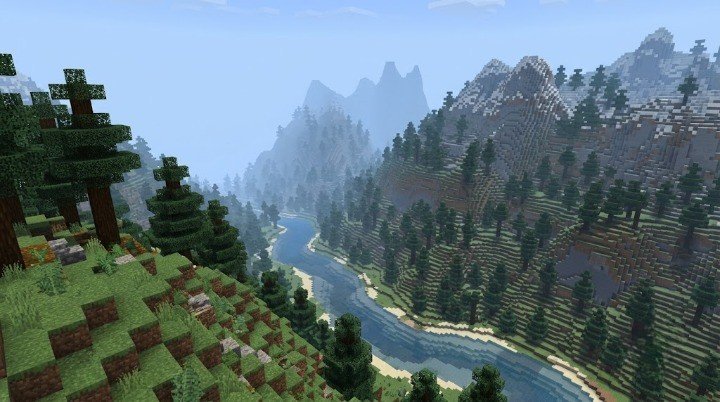
BRG Natural Realism uses softer horizon colors and earlier fog transitions to create a distance-haze effect inspired by the atmospheric appearance many players enjoy in Java Edition.
Different environments receive different visual moods.
Forests and swamps: A slightly denser atmosphere helps vegetation and distant trees feel more layered.
Deserts: Warmer haze complements the sandy environment.
Oceans: Cooler distance fog helps the horizon blend into the surrounding water and sky.
The Nether and the End: Separate atmospheric profiles help preserve the distinctive character of each dimension.
Rainy weather: Denser fog can make weather feel more atmospheric rather than relying entirely on rain particles.
The effect is designed to improve visual depth, not to increase the actual render distance. Terrain beyond the game’s rendering limits will not suddenly become visible because of the pack.
4. A Warmer Sun and Softer Moon
The sky helps establish the mood of a Minecraft world, particularly during long survival sessions and cinematic recordings.
BRG Natural Realism uses a warmer sun appearance and a softer-looking moon to complement its overall lighting direction.
During the day, the sky works alongside the pack’s natural color palette. Around sunset, warmer tones can help villages, forests, and mountain landscapes feel more cinematic.
At night, the cooler atmosphere creates a different visual character for exploring or building.
These changes are intended to support Minecraft’s original style rather than replace the world with a photorealistic skybox.
5. Three Visual Intensity Options
Different players have different preferences and hardware capabilities. Some want a subtle improvement, while others prefer a stronger atmospheric effect.
BRG Natural Realism provides three intensity options:
| Option | Best suited for |
|---|---|
| Soft | Players who prefer a lighter, more subtle visual style |
| Natural | A balanced everyday experience |
| MAX | Players who want the strongest available atmosphere |
Soft is a sensible starting point if you prefer understated visuals or want to test the pack on a less powerful device.
Natural is the balanced default for players who want the intended overall look without immediately choosing the strongest effects.
MAX is intended for those who prefer more pronounced atmospheric changes.
Actual performance depends on the device, Minecraft version, world, and graphics configuration. Choosing Soft does not guarantee a specific frame rate, and MAX does not automatically mean that every supported graphical effect will be available.
Does BRG Natural Realism Support Vibrant Visuals?
BRG Natural Realism is designed to work as a Bedrock resource pack, including its lighting, water-color, fog, and environmental adjustments.
On compatible devices, Minecraft’s Vibrant Visuals graphics mode can provide a stronger overall visual experience when used alongside suitable content.
However, Vibrant Visuals availability depends on your hardware, game version, and active content. Some worlds or packs may restrict which graphics modes can be selected.
If Vibrant Visuals is unavailable, you can still use BRG Natural Realism as a normal resource pack for the visual changes supported by its files.
Keep in mind that the pack is not a complete Java shader port. It does not promise a full deferred-rendering pipeline, hardware ray tracing, or perfect reflective surfaces on every device.
For the best experience, test the pack with the graphics options available on your own device rather than assuming every screenshot represents the same settings.
Download BRG Natural Realism
Get the latest version of BRG Natural Realism for Minecraft Bedrock.
How to Install BRG Natural Realism in Minecraft Bedrock
Installing the pack is straightforward when you have a compatible .mcpack file.
Step 1: Get the Pack File
Obtain the BRG Natural Realism pack file and save it to your device. If it is supplied as a .mcpack file, Minecraft should recognize it as an importable resource pack.
Only import files you trust, and avoid renaming or modifying the pack unless you know what you are changing.
Step 2: Import It Into Minecraft
Open the downloaded .mcpack file using Minecraft.
The game should launch and display an import notification. Wait for the process to finish before opening your world.
If the file does not open Minecraft automatically, check your device’s file manager and choose Minecraft as the application for the pack file.
Step 3: Activate the Resource Pack
Open Minecraft and select the world where you want to use BRG Natural Realism.
Open the world’s settings and find the Resource Packs section. Locate BRG Natural Realism under the available packs and activate it.
If the pack contains multiple intensity subpacks, select your preferred option according to the choices shown in the game.
Step 4: Adjust the Pack Priority
If you use several resource packs, place BRG Natural Realism near the top of the active resource-pack list when possible.
Pack priority can affect which overlapping textures and settings take effect. If another pack modifies the same visual files, the final appearance may differ from the intended result.
For troubleshooting, try activating BRG Natural Realism by itself first.
Step 5: Choose Suitable Graphics Settings
For the recommended starting configuration, use Fancy graphics where available.
If your device supports Vibrant Visuals and the mode is available with your active content, you can test it for a stronger visual result.
Enter your world and visit a few different environments. Check the water, distant hills, forests, and nighttime lighting to see how the pack behaves.
If the game becomes less responsive, try simpler graphics settings or a lighter intensity option.
Best Settings for BRG Natural Realism
The best settings depend on whether you prioritize visual quality, smooth gameplay, or screenshots.
| Use case | Suggested starting point |
|---|---|
| Everyday survival | Natural intensity |
| Lighter visual changes | Soft intensity |
| Strong atmospheric appearance | MAX intensity |
| Building and screenshots | Natural or MAX |
| Lower-powered device | Start with Soft and test performance |
| Compatible device with Vibrant Visuals | Test the available graphics mode |
These are starting recommendations rather than guaranteed performance results.
For ordinary survival gameplay, a balanced configuration is often the most practical choice. You want the world to look appealing without making exploration uncomfortable or causing unnecessary slowdowns.
For screenshots and cinematic recordings, you can experiment with the stronger visual option and capture scenes during sunrise, sunset, or rainy weather.
BRG Natural Realism Performance and Compatibility
A resource pack’s performance depends on several factors, including your device, Minecraft version, world complexity, render distance, and other active packs.
BRG Natural Realism is designed around supported resource-pack features, but it cannot guarantee identical performance across every phone, tablet, console, or computer.
For a smoother experience, consider these tips:
- Start with the Soft or Natural intensity option.
- Avoid stacking multiple packs that change the same visual settings.
- Lower demanding graphics settings if you notice slowdowns.
- Keep Minecraft updated to a version compatible with the pack.
- Test the pack in a simple world before using it in a large build.
- Check for conflicts if the visuals do not match the expected appearance.
If the pack imports but its changes are not visible, confirm that it is activated for the correct world. Then check the resource-pack order and temporarily disable other visual packs.
If the graphics mode is unavailable, test the pack with the standard graphics options supported by your device.
Who Should Try BRG Natural Realism?
BRG Natural Realism is designed for players who enjoy a more natural and atmospheric version of Minecraft Bedrock.
It may be a good fit if you:
- Prefer balanced colors over exaggerated saturation.
- Enjoy cinematic screenshots and gameplay recordings.
- Build villages, cottages, castles, or mountain bases.
- Want more atmospheric water and distant landscapes.
- Like warmer sunsets and cooler nighttime environments.
- Prefer visual improvements that retain Minecraft’s familiar art style.
It may be less suitable if you expect every surface to have realistic 3D geometry, full ray-traced reflections, or the exact rendering behavior of a high-end Java shader.
Understanding this distinction helps set realistic expectations and makes it easier to choose a visual pack that matches your preferences.
Frequently Asked Questions
Is BRG Natural Realism a Minecraft Bedrock shader?
BRG Natural Realism is an original Minecraft Bedrock resource pack focused on lighting colors, water appearance, environmental fog, and atmosphere. It is not a full Java shader port.
Does BRG Natural Realism change gameplay?
The pack is designed for visual changes rather than new gameplay mechanics. It does not aim to add new mobs, recipes, items, or survival systems.
What are the Soft, Natural, and MAX options?
They are three visual intensity choices. Soft provides a lighter presentation, Natural is the balanced default, and MAX offers the strongest atmospheric treatment available in the pack.
Can I use BRG Natural Realism on Android?
You can try it on a compatible Minecraft Bedrock Android installation. Performance and feature availability vary by device, so start with a lighter intensity option and test it in-game.
Does the pack work without Vibrant Visuals?
Yes. The pack is designed to apply its supported resource-pack changes even when Vibrant Visuals is unavailable. The overall appearance will depend on the graphics features provided by your device.
Does BRG Natural Realism provide realistic water reflections?
The pack focuses on natural water colors, transparency, and underwater atmosphere. It does not guarantee mirror-like reflections on every device.
Why are the visuals different from the screenshots?
Your Minecraft version, graphics settings, device, time of day, weather, and other active resource packs can all affect the final appearance. Check the pack priority and test it without other visual packs if needed.
Can I use BRG Natural Realism in survival worlds?
The pack is intended for visual customization, so you can use it in a survival world if your Minecraft version and active content are compatible. Always keep a backup of an important world before changing its configuration.
Final Verdict
BRG Natural Realism offers a balanced visual direction for Minecraft Bedrock players who want more atmospheric lighting, natural teal water, softer distance fog, and a more cinematic sky without abandoning the game’s block-based identity.
Its Soft, Natural, and MAX options provide different ways to experience the pack, while its environmental adjustments give forests, deserts, oceans, and other dimensions their own visual mood.
The pack is not intended to replace a full Java shader or promise hardware-level reflections on every device. Instead, it focuses on improving the visual elements that a Bedrock resource pack can realistically influence.
If you enjoy natural colors, atmospheric exploration, and cinematic Minecraft builds, BRG Natural Realism is worth trying.
Explore more original Minecraft Bedrock visual packs, resource packs, and gaming guides from BR GAMERS to find new ways to customize your world.